The Google Workspace MCP server is really eight servers: Google's own hosted MCP endpoints for Gmail, Drive, Docs, Sheets, Slides, Calendar, Chat and Tasks, generally available since November 24, 2026. To use them, create an OAuth client marked "Use this client for an AI powered agent", enable the MCP services in a Google Cloud project, and add each https://<product>mcp.googleapis.com/mcp/v1 URL to your agent. Expect less than the REST API offers: the public Gmail server can search, read, draft and label mail, but it cannot send, reply or forward. That matters because, from February 1, 2027, Google's terms require AI agents to reach Workspace through these servers instead of the REST APIs.
What Google launched on November 24
Google's Workspace Updates post bundled four things: the MCP servers going GA, an official Workspace CLI for terminal agents, two usage tiers (a free Standard tier and a paid Scaled tier), and a new Workspace AI Tools Addendum to the Google APIs Terms of Service. The release notes say each server can take up to 10 days to reach your account, and the post lists Keep as coming soon. People API, Classroom and Universal Search servers exist too, but only for members of the Workspace Developer Preview Program.
Each product has its own endpoint, all on Streamable HTTP with OAuth 2.0. New to MCP? Read our plain English explainer of MCP first.
Every tool on the eight servers, counted
Google's servers answer initialize and tools/list without credentials, so we listed them directly on November 26. Actual tool calls return HTTP 401 until you send an OAuth token. Here is what each /mcp/v1 endpoint exposes today:
| Server | Tools | What you can do |
|---|---|---|
| Gmail | 23 | Search threads, read threads and messages, create and list drafts, labels, trash and spam |
| Drive | 9 | Search, read and download files, create and copy files, upload a new revision, read metadata and permissions |
| Docs | 2 | read_doc and update_doc (which takes Docs batch update requests) |
| Sheets | 6 | Read and write values and formulas, insert rows or columns, spreadsheet level updates |
| Slides | 4 | Read a deck, read one slide, get a thumbnail, update the presentation |
| Calendar | 9 | List and search events, create, update and delete them, respond, suggest a time |
| Chat | 4 | List and search messages, search conversations, send a message |
| Tasks | 9 | Full task and task list management, including complete and undelete |
That is 66 tools in total. Each one carries MCP annotations, so a client can tell reads from writes: 29 are marked read only, and 12 are marked destructive (eight in Gmail, plus Drive's upload_file_revision, Slides' update_presentation, Calendar's delete_event and Tasks' delete_task).
The Gmail gap: no send, reply or forward
The Gmail quota reference lists eight more tools (send_message, reply, forward, update_draft, create_filter, list_filters, update_label and delete_label) that "require partner access and aren't generally available." Our tool list matched that: none of those names appear on the public endpoint.
In practice an agent writes a draft with create_draft (it accepts replyToMessageId, so the draft lands in the right thread) and you press send in Gmail. It cannot revise that draft later, only create a new one. Drive has a similar shape: you can create and copy files, but there is no tool to move, rename, share or trash one. Google has not published who qualifies for partner access.
/mcp/v1 vs /mcp/v1self
Every server has a second endpoint for MCP hosts that don't support form elicitation, the part of the spec that lets a server ask the user to confirm an action. Google's setup guide says /mcp/v1self exposes only tools that work without that prompt under default policy. In our listing it had 60 tools instead of 66. It drops the two Gmail "sensitive label" tools, Drive's upload_file_revision, Calendar's delete_event, Chat's send_message and Tasks' delete_task. Use /mcp/v1 when your host supports elicitation.
How to set up the Google Workspace MCP server
- Create or pick a Google Cloud project. For a single person, Google's "Quick setup for personal use" page enables the APIs and MCP services and creates an OAuth client in one form, with no app verification.
- Mark the OAuth client as an agent. In Google Auth Platform, Clients, tick "Use this client for an AI powered agent". Requests from clients without it are rejected, and Google's known issues note that the error is a generic invalid token message. If an existing client can't be changed, or it also serves non agent features, make a new one.
- Enable the MCP services, for example
gcloud services enable gmailmcp.googleapis.com drivemcp.googleapis.com calendarmcp.googleapis.com, plus the matching product APIs. - Add the scopes on the consent screen. Gmail uses
gmail.readonly,gmail.composeandgmail.modify; Drive usesdrive.readonlyanddrive.file. The per tool metadata we read shows the narrowest options:search_threadsacceptsgmail.messages.readonly, andcreate_draftacceptsgmail.drafts.create. - Ask for offline access. Web application clients default to online access, which means a new sign in about every hour. Request
access_type=offlineor theoffline_accessscope.
Claude and Antigravity
For Claude.ai or Claude Desktop, Google's guide requires a Claude Pro, Max, Team or Enterprise plan. Create a Web application client with https://claude.ai/api/mcp/auth_callback as the redirect URI, then add a custom connector per server under Settings, Connectors, with the client ID and secret in Advanced settings.
For Antigravity (IDE, desktop app or the agy CLI), add each server to ~/.gemini/config/mcp_config.json with a serverUrl and an oauth block holding clientId and clientSecret, using https://antigravity.google/oauth-callback as the redirect URI. Then authenticate each server from the /mcp panel or the Customizations screen.
Claude Code, Cursor and other clients
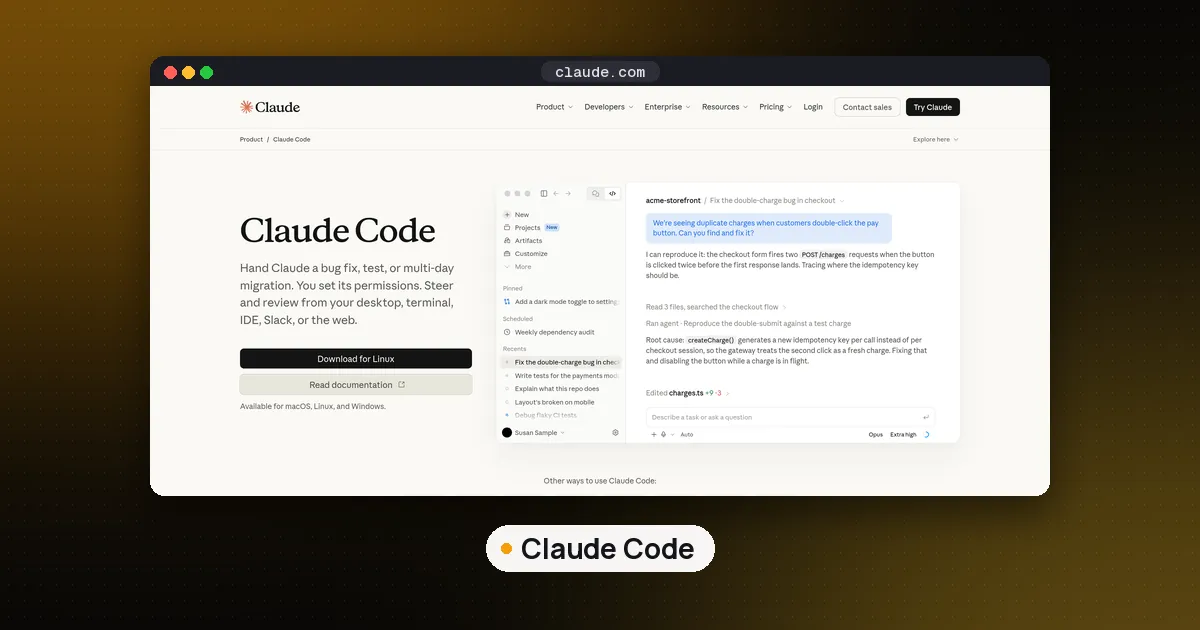
Google's guide has no Claude Code section, but the pieces exist. In Claude Code 2.1.318, claude mcp add accepts --transport http, --client-id, --client-secret and --callback-port (the last one is for servers that need a registered redirect URI):
claude mcp add --transport http --client-id YOUR_CLIENT_ID \
  --client-secret --callback-port 8765 gmail https://gmailmcp.googleapis.com/mcp/v1
We checked those flags in the help output only and did not complete a sign in, so treat the redirect setup as something to confirm on your machine. Google's guide says personal setup can also use a Desktop app client, which suits local terminal agents. Cursor and Gemini CLI take the same inputs: a server name, the URL, Streamable HTTP and your OAuth client. Our guide to using MCP servers in GitHub Copilot covers the VS Code side.
The February 1, 2027 rule for AI agents
The addendum's first clause is short: a tool "must use a Google MCP where the GWS Access Tool is or is driven by an AI Agent, an AI Harness or an AI model or service employing an AI model." Its definition of an access point names APIs, connectors, proxies, command line interfaces and third party services. Google's usage tiers page adds the technical side: from February 1, 2027, agents that call Workspace REST APIs directly are limited to Standard tier quotas, whatever tier the project pays for.
The addendum also sets data rules that hit agent memory designs:
- User data may only be processed to fulfill active, user authorized tasks, and must not be kept after the tool is disconnected.
- "Google Technical Information", which the addendum defines to include vector embeddings, memory indexes, user profiles and organizational graphs derived from Workspace access, can't be stored for more than 30 days.
- No model training, fine tuning, evaluation dataset building or distillation on the data, and no building a product similar to a Workspace service with it.
If your agent keeps a long lived index of a user's inbox, that 30 day limit is the clause to plan around. Our comparison of agent memory layers covers where that memory usually lives. This is a summary, not legal advice.
What about community Google Workspace MCP servers?
The best known open source option is taylorwilsdon/google_workspace_mcp, published on PyPI as workspace-mcp. Version 2.7.0 listed 118 tools in our test with every service enabled, and 31 with only Gmail and Drive. Unlike Google's servers, it includes send_gmail_message, manage_drive_access and set_drive_file_permissions, plus Forms, Contacts and Apps Script tools. It runs on your machine and calls the regular REST APIs with your own OAuth client. You can run it as easily as any other local MCP server.
The catch is the addendum. A local server that calls REST and is driven by a model is the kind of access the MCP clause describes, so after February 1, 2027 it runs at Standard quotas and, by our reading, outside the terms. For a personal setup that needs to send mail today, it still works. For a product you sell, build on Google's servers and apply for partner access early.
Non AI integrations are untouched. A sync job or script on its own OAuth client with no model in the loop keeps using REST as before. Our MCP server vs API guide explains why the two keep coexisting.
Quotas, cost and approvals
Every project starts on the free Standard tier: 5,000 MCP requests per day, per project, per product, plus per minute limits. Some tools count as more than one request. In Gmail, search_threads and list_drafts each count as 10, so a project doing nothing but searches gets 500 of them a day, shared by all its users. Failed tool calls that return isError: true still count. On the Scaled tier, MCP usage is billed from the first request starting April 1, 2027, while REST keeps large daily free allowances (70,000,000 Light Gmail requests a day per billing account, for example).
Admins get controls under Security, API Controls in the Admin console: allow or block agent access, require human confirmation for sensitive actions, and read agent activity in audit logs. Users can't view or revoke their saved approvals, which expire after 90 days. If you automate Workspace through n8n or a similar tool with an AI step, check which OAuth client it uses before February.
Google's own guide also warns about indirect prompt injection: an email can carry instructions, and an agent with gmail.modify can act on them. Keep write scopes narrow, keep confirmations on, and screen inputs with Model Armor or your own filter.
FAQ
Is the Google Workspace MCP server free?
Yes, on the Standard tier, with no billing account needed: 5,000 requests per day, per project, per product. Gmail searches count as 10 requests each. Higher limits need the paid Scaled tier, which starts billing on April 1, 2027.
Can the Gmail MCP server send email?
Not on the public endpoint. Sending, replying, forwarding and editing drafts require partner access. The generally available server can create a draft that you send yourself from Gmail.
What is the Gmail MCP server URL?
https://gmailmcp.googleapis.com/mcp/v1, or https://gmailmcp.googleapis.com/mcp/v1self for MCP hosts without form elicitation. Drive, Calendar and the others follow the same pattern, such as https://drivemcp.googleapis.com/mcp/v1.
Can I use Google Workspace MCP with Claude Code?
Yes in principle: it is a remote HTTP server with OAuth, and claude mcp add supports an OAuth client ID, secret and fixed callback port. Google only documents Claude.ai, Claude Desktop and Antigravity, and we have not completed a sign in from Claude Code.
Do I have to stop using google_workspace_mcp?
Not today. From February 1, 2027 the addendum requires AI agents to use Google's MCP servers, and agents calling REST directly are held to Standard quotas. Personal users can keep it running; anyone shipping a product should plan the move.
Do service accounts work with the Workspace MCP servers?
Service accounts with domain wide delegation can't set the agent flag, but their requests aren't rejected for missing it. Sensitive tool calls still trigger confirmation prompts.