To run an MCP server locally, you usually don't start it yourself. You give your AI app (Claude Code, Cursor, VS Code, Codex or Claude Desktop) the launch command, such as npx -y @modelcontextprotocol/server-filesystem ~/notes or uvx mcp-server-time, and the app starts the server as a child process and talks to it over stdin and stdout. Before you do that, run the same command once inside the MCP Inspector to prove it starts and its tools work. Only start a server by hand on a port when several clients need to share it, which is the Streamable HTTP route at the end of this guide.
This guide walks through those three moves with commands we ran on October 21, 2026, using Filesystem server 2.0.0, mcp-server-time 2026.10.19, Playwright MCP 0.0.83 and MCP Inspector 2.12.0. If you want to write your own server instead of running someone else's, read our guide to building an MCP server in Python first and come back for the testing and setup steps.
What "local" means for an MCP server
An MCP server is a program that offers tools, resources and prompts to an AI client through the Model Context Protocol. A local server runs on your own machine, and there are two ways to reach it.
| Item | stdio (the default) | Streamable HTTP on localhost |
|---|---|---|
| Who starts it | The client, every session | You, once, in a terminal or container |
| How the client connects | A command plus arguments | A URL such as http://localhost:8931/mcp |
| Clients per server | One | Several |
| Best for | Personal tools, file access, CLIs | A browser server or anything slow to boot |
| Main risk | It runs with your user account's permissions | Other local processes can reach the port too |
Most published servers ship in one of three packages. TypeScript servers run with npx, Python servers run with uvx (from the uv project) or pip, and many also publish a Docker image. The official MCP servers repository documents all three forms for its reference servers.
Before you start
You need the runtime your server is written in, and nothing else.
- Node.js for
npxservers. Playwright MCP needs Node 18 or newer. The current MCP Inspector needs Node 22.19.0 or newer, so install a current LTS release if you plan to use it. - uv for Python servers, which gives you the
uvxcommand. It downloads the package into a cached, isolated environment on first run, so you never touch your global Python.
Pick servers from a source you trust. The repository above hosts only seven reference servers (Everything, Fetch, Filesystem, Git, Memory, Sequential Thinking and Time), and its README says they are teaching examples rather than production software. Older ones such as GitHub and Postgres were archived. For the rest, the README points to the MCP Registry, and many vendors (GitHub, Microsoft, Notion and others) publish their own servers.
Step 1: Find the launch command
Every server's README gives you a command. These three are typical:
# TypeScript server via npx: file access limited to one folder
npx -y @modelcontextprotocol/server-filesystem /Users/you/notes

# Python server via uvx: time and timezone tools
uvx mcp-server-time --local-timezone America/New_York

# Docker image: the same filesystem server, with the folder mounted read only
docker run -i --rm --mount type=bind,src=/Users/you/notes,dst=/projects/notes,ro mcp/filesystem /projects
Arguments after the package name belong to the server. For the filesystem server they are the allowed directories, and the README says command line arguments are the only access control that works on every protocol version. The Docker form expects your folders mounted under /projects, and ro makes them read only.
If you paste one of these into a terminal, it looks like nothing happens. That is normal. A stdio server waits silently for JSON messages on stdin and writes only short status messages to stderr. Press Ctrl+C and move on to a real test.
Step 2: Test the MCP server locally with the Inspector
The MCP Inspector is the official test client. It has a web UI, a terminal UI and a CLI. The CLI is the quickest way to answer "does this server start, and do its tools work?" without any AI in the loop:
npx @modelcontextprotocol/inspector --cli \
  npx -y @modelcontextprotocol/server-filesystem /Users/you/notes \
  -- --method tools/list
Everything before the bare -- is the server command; everything after it is an Inspector option. On our run, the filesystem server listed 14 tools, from read_text_file and list_directory to search_files and list_allowed_directories.
Now call a tool the way a model would:
npx @modelcontextprotocol/inspector --cli \
  npx -y @modelcontextprotocol/server-filesystem /Users/you/notes \
  -- --method tools/call --tool-name read_text_file --tool-arg path=/Users/you/notes/a.txt
That returned the file's text and exited with code 0. Asking for /etc/passwd instead returned Access denied - path outside allowed directories with isError set, and the Inspector exited with code 5. That check proves the folder limit you set is the one in force. The same pattern worked for the Python server: --tool-name get_current_time --tool-arg timezone=America/New_York came back with the current Eastern time.
In scripts, pin the Inspector version (@modelcontextprotocol/[email protected]) as its smoke testing guide advises. Drop --cli to get the web UI, where you fill in tool arguments in a form.
Step 3: Connect the local server to your client
Each client stores the same three facts (a name, a command and its arguments) in a slightly different file.
Claude Code
Claude Code takes the launch command after a double dash, so flags like -y reach npx instead of Claude:
claude mcp add notes -- npx -y @modelcontextprotocol/server-filesystem /Users/you/notes
claude mcp list
The default scope is this project, for you only. Add --scope project to write a .mcp.json file your team can commit, or --scope user for all your projects. Pass secrets with --env KEY=value. According to Anthropic's MCP docs, Claude Code asks you to approve servers from a project's .mcp.json before using them, and it does not reconnect a stdio server automatically if it crashes; use /mcp to reconnect.
Cursor
Cursor reads ~/.cursor/mcp.json for every project and .cursor/mcp.json for one project:
{
  "mcpServers": {
    "notes": {
      "command": "npx",
      "args": ["-y", "@modelcontextprotocol/server-filesystem", "/Users/you/notes"]
    }
  }
}
Cursor's MCP docs also support ${env:NAME} and ${workspaceFolder} inside these values, and an envFile field for stdio servers, so keys stay out of the file. Server errors show up in the Output panel under MCP Logs.
VS Code with GitHub Copilot
In VS Code, run MCP: Add Server from the Command Palette, choose Command (stdio) and paste the launch command. The VS Code MCP docs now steer personal setups to Copilot Global, stored in ~/.copilot/mcp-config.json. The older .vscode/mcp.json file still works but uses a top level servers key instead of mcpServers, so don't paste a Cursor block into it unchanged. To check it, ask GitHub Copilot for a harmless action by server name, then expand the tool call and confirm it came from the server you added.
Codex
Codex uses the same double dash pattern, and writes to ~/.codex/config.toml:
codex mcp add notes -- npx -y @modelcontextprotocol/server-filesystem /Users/you/notesIn the TOML file each server is a [mcp_servers.notes] table with command and args. Per OpenAI's Codex MCP docs, you can also set enabled_tools to expose only some tools, and raise startup_timeout_sec (default 10 seconds) for servers that download a lot on first launch.
Claude Desktop
Open Settings, then Developer, then Edit Config, and add the same mcpServers block to claude_desktop_config.json. On Windows, the servers README says to change "command" to "cmd" and put "/c", "npx" at the front of args for every npx entry. Restart the app fully after each edit.
Host an MCP server locally over HTTP
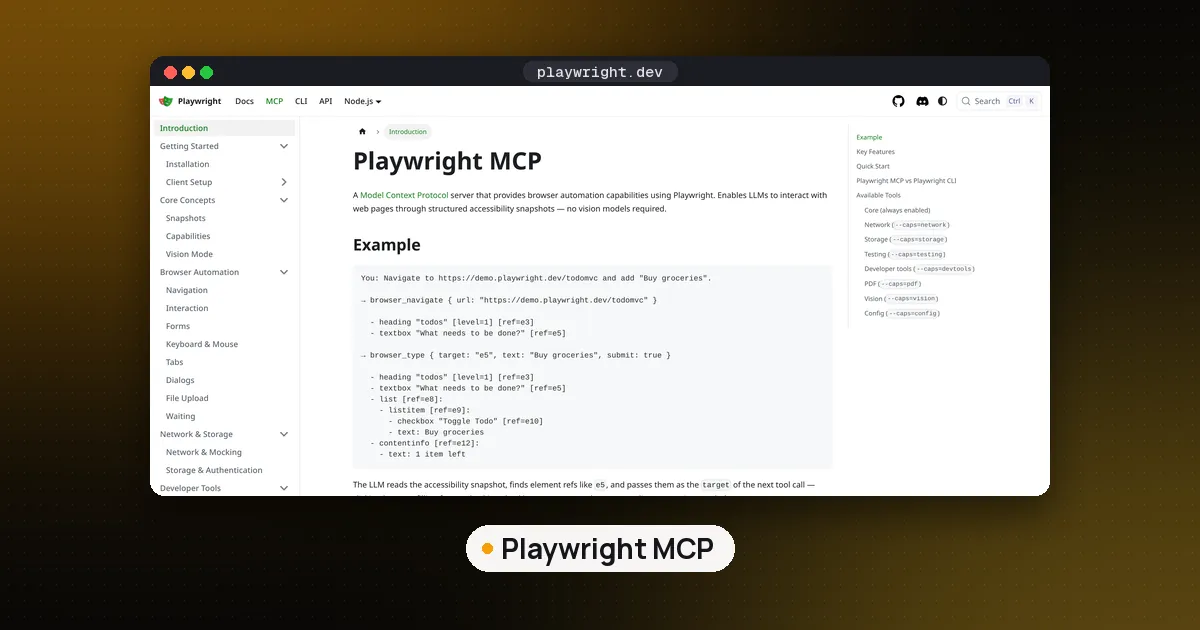
Some servers are better started once and shared. A browser server is the usual case: it is slow to launch, and a headed browser needs a display that an IDE's background worker may lack. Playwright MCP shows the pattern:
npx @playwright/[email protected] --headless --isolated --port 8931It printed Listening on http://localhost:8931 and the config to use. We pointed the Inspector at it with --transport http --server-url http://localhost:8931/mcp, got 25 browser tools, and a browser_navigate call to example.com returned the page title. Any client then connects by URL. In Claude Code that is claude mcp add --transport http playwright http://localhost:8931/mcp; in a JSON file for Claude Code you must add "type": "http" next to "url", or it is read as a stdio entry and skipped.
Notes from the Playwright MCP README:
- It binds to localhost by default.
--host 0.0.0.0exposes it to your network, so only do that inside a container or behind a firewall. - A persistent browser profile can only be used by one instance at a time. Use
--isolatedor a separate--user-data-dirwhen several clients share a machine. - The Docker image (
mcr.microsoft.com/playwright/mcp) only supports headless Chromium. - The README states plainly that Playwright MCP is not a security boundary.
For a comparison of browser options for agents, see Browser Use vs Stagehand vs Playwright MCP.
Keep local MCP servers safe
A local server is code running with your account's permissions, and the MCP security best practices list the ways that goes wrong: a malicious startup command hidden in a shared config, a malicious package, and a server left listening on localhost that a web page reaches through DNS rebinding. What we do:
- Pin versions.
npx -y package@latestfetches whatever was published most recently, every launch. Write an exact version in your config and update on purpose. The October 2026 LiteLLM supply chain incident shows why. - Grant the smallest scope. One project folder, mounted read only if the server only needs to read; a database user that can only select; an API token limited to one repo.
- Prefer stdio. The spec recommends it for local servers because only the client that launched the process can talk to it. If you must use HTTP, keep it on localhost and require a token.
- Read before you approve. Check the full command in any
.mcp.jsonyou did not write, especially in a cloned repo.
For stronger isolation, run the server in Docker as shown above, or move risky work into a cloud sandbox; our E2B vs Daytona vs Modal guide compares those.
Common errors when you run an MCP server locally
spawn npx ENOENTor "command not found". The client cannot see your shell's PATH. Use absolute paths fornpxoruvx(find them withwhich npx) and for every folder argument.- The server shows as failed right after you add it. Run the exact command through the Inspector. Most failures are a typo in a path, a missing environment variable or an old Node version.
- Edits not picked up. Most clients read their config at launch. Restart, or reconnect from
/mcpin Claude Code.
FAQ
Can I run an MCP server locally without Claude?
Yes. MCP is an open protocol, and Cursor, VS Code, Codex, Gemini CLI and many other clients run local servers. The MCP Inspector can also call a server's tools directly with no model involved, which is the best way to test one.
Do local MCP servers need internet access?
Only if their tools do. The filesystem and time servers work offline once the package is downloaded. A browser, search or GitHub server needs the network because that is its job.
Is a local MCP server free?
The reference servers and most community servers are open source, and running them costs nothing beyond your machine. Your AI client and the model behind it are billed separately, and some servers wrap paid APIs that need their own key.
What is the difference between a local and a remote MCP server?
A local server runs on your computer, usually started by the client over stdio. A remote server runs on someone else's infrastructure and you connect by URL, often with OAuth. Our MCP server vs API guide explains how both relate to ordinary APIs. The Power BI MCP server guide shows one product that offers both.
How do I run several local MCP servers at once?
Add each one under its own name in your client's config. Each stdio server is a separate process, so they don't interfere, but every extra server adds tool descriptions to the model's context. Keep only the ones you use, and see what Code Mode MCP is for one way to cut that cost.