There are two good ways to run a Home Assistant MCP server in November 2026. Use the official Model Context Protocol integration that ships with Home Assistant when you want an AI app such as Claude, ChatGPT or Codex to control devices and help troubleshoot, with OAuth sign in and a read only switch. Use the community ha-mcp project when you want the assistant to build and edit automations, dashboards, scripts and helpers too, and you accept a much larger tool list plus a token or dedicated admin account.
That choice got more interesting this month. Home Assistant 2026.11, released on November 4, gave the official server new admin tools and a read only option, and ha-mcp landed on GitHub's trending page on November 11 with about 640 new stars that day. Below is what each one does, how to set it up, what we measured, and how to keep an AI from breaking your house.
What a Home Assistant MCP server does
The Model Context Protocol (MCP) is a standard way for an AI app to discover and call tools on another system. If you are new to it, our MCP explainer covers the basics. With a Home Assistant MCP server, your home becomes that other system: the AI client lists the tools the server offers (turn on a light, read a sensor's history, create an automation) and calls them when you ask.
Home Assistant actually has two MCP integrations, and they point in opposite directions. The Model Context Protocol integration makes Home Assistant the server, so an outside AI app controls your home. The Model Context Protocol Client integration does the reverse: Home Assistant's own conversation agent uses tools from some other MCP server, such as web search. This guide is about the first direction.
The official integration after 2026.11
The official server has been part of Home Assistant since version 2025.2. You turn it on under Settings, System, AI, and copy the main URL, which ends in /api/mcp. Clients sign in with OAuth 2.0 and PKCE, and Home Assistant supports OAuth Client ID Metadata Documents, so apps like Claude and ChatGPT fill in their client details automatically. It does not support Dynamic Client Registration, so a client that insists on that method will not register by itself.
Home Assistant groups its tools into sets. Two matter most:
- Device control gives the AI the same tools as Assist, the built in voice assistant, and it can only see and control the entities you have exposed to voice assistants.
- Home Assistant can read every entity, the logs and history, and perform any action. It requires an administrator account.
By default the main URL exposes every set of tools and requires an administrator. Under Configure you can turn off "Expose all AI tools" and pick sets by hand, and you can switch on Read only, which limits the main URL to tools marked as not changing anything. Each tool set also has its own individual URL, such as /api/mcp/assist for Device control only, but those ignore the options and are never read only.
The 2026.11 release notes describe the new reach: an assistant can look up system information, search the available actions and call one, list your integrations and reload one, and read the system log. The same notes say plainly that this makes it something that can act on your setup, not only read it, so give it no more access than you are comfortable with. They also added the read only option and a rule that an AI conversation can only be continued by the user who started it.
Two limits to know. Cloud clients, including Claude Desktop, connect from the internet, so Home Assistant must be reachable remotely through Home Assistant Cloud or a reverse proxy. And the integration supports tools, prompts and resources, but not MCP sampling or notifications.
What the HA MCP project adds
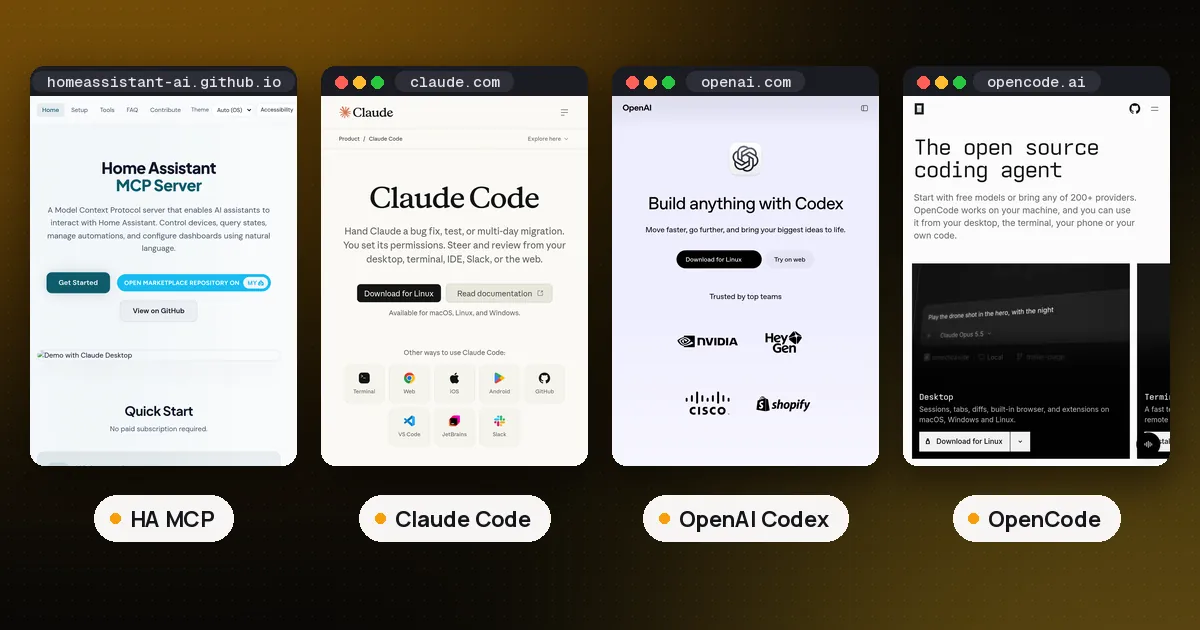
ha-mcp is an MIT licensed community server built with FastMCP. It is not part of the Home Assistant project, which says Marketplace projects are not tested, audited or supported by Home Assistant. The latest release is 9.1.2, published November 8, and it needs Python 3.13 or 3.14 if you run it outside Home Assistant.
Its README frames the difference well: the official server is built around control, while ha-mcp is built for configuring and debugging. On top of device control it can create and edit automations, scripts, scenes and dashboards, read automation traces, history and logs, manage helpers, areas, zones, labels and groups, and handle backups, updates, addons and the device registry. Its own comparison table also says the official server only reaches entities exposed to Assist; after 2026.11 that is only true of the Device control set, since the Home Assistant set reaches everything.
Safety features include a Read Only Mode, per tool enable and disable, approval rules for chosen tools, and automatic backups before edits. Appending /readonly to an HTTP connection URL gives that one client read only access while other clients keep full access. The privacy section says there is no telemetry today.
Setup: official vs HA MCP
Official integration. Add the Model Context Protocol integration under Settings, Devices and services, then copy the main URL from Settings, System, AI. In Claude or Claude Desktop you add a custom connector with that URL and sign in. For a terminal agent, Home Assistant's docs give one line commands: claude mcp add --transport http home-assistant <url> followed by claude mcp login home-assistant for Claude Code, codex mcp add homeassistant --url <url> for Codex, and opencode mcp add plus opencode mcp auth for OpenCode. Claude Code only connects over HTTPS.
HA MCP. The recommended path is the HA-MCP integration, which runs the whole server inside Home Assistant and needs version 2026.8 or newer. On 2026.11 or newer you install it from Settings, Marketplace, the new built in home for what used to be HACS; on 2026.8 to 2026.10 you use HACS. After a restart you add the "HA-MCP Server" integration and give it either a long lived access token from your profile or the login of a new account made just for it, with Local access only and Administrator turned on. The project calls the dedicated account the safer choice, since a leaked personal token works from anywhere. You then copy a connect URL: a Home Assistant webhook URL for remote clients, or a local address on port 9584 for clients on your network.
Other routes exist: a Home Assistant app (the old addon) on Home Assistant OS and Supervised, Docker, and uvx ha-mcp@latest as an HTTP server. A local stdio setup also works but the project marks it not recommended because of connection problems. Run only one install method per client; two entries for the same server is a known cause of hangs.
What we measured with HA MCP
We ran ha-mcp 9.1.2 over stdio against the project's public demo instance and listed its tools with the MCP Python SDK. In the default mode it exposed 77 tools, and the JSON definitions of those tools came to 305,103 characters. That is characters, not tokens, but it is a lot of text for a client to load before you type anything. The README badge says 87 tools; the gap appears to be beta and component only tools that a plain stdio run does not list.
With ENABLE_TOOL_SEARCH=true, the list shrank to 11 tools and 50,680 characters: a few pinned tools such as ha_search and ha_get_overview, plus ha_search_tools and three proxies for read, write and delete calls that reach the rest on demand. If your client has a small context window, or you also run other servers, turn tool search on. Our code mode MCP guide explains why big tool lists hurt and the other ways around it.
The read calls worked well. The overview call returned a 9,489 character summary of the demo (143 entities, 41 domains, 252 services, 7 areas), and a search for "porch light" found the automation named "Porch light at sunset" in 770 characters. We made no write calls on the shared demo.
Which one should you use?
| Need | Official integration | HA MCP |
|---|---|---|
| Control exposed devices by chat | Yes | Yes |
| Read logs, history, system info | Yes (Home Assistant set, admin) | Yes |
| Create and edit automations and dashboards | No | Yes |
| Sign in | OAuth with your HA account | Secret URL, HA sign in or OIDC |
| Read only mode | Main URL option | Global mode or /readonly per client |
| Maintained by | Home Assistant project | Community |
Pick the official integration if you mainly want to ask "is the garage door open?", turn things on and off, or have an assistant read logs while you debug. It needs no extra install and signs in with your own Home Assistant account.
Pick HA MCP if you want an agent to write and repair your configuration for you, in the same spirit as a coding agent working on a repo. Start with a dedicated local only admin account, keep backups on, and give automated or scheduled agents the /readonly URL. Blender has the same official versus community split, covered in our Blender MCP comparison.
Whichever you choose, the same advice as any MCP server you run locally applies: only expose the tools you need, read what the client asks permission to do, and never paste a personal token into a client you do not control. If you would rather wire up your own tools, our guide to building an MCP server in Python shows the pattern, and MCP server vs API covers when a plain REST call is the better fit.
FAQ
Does Home Assistant have a built in MCP server?
Yes. The Model Context Protocol integration has shipped with Home Assistant since 2025.2. Turn it on under Settings, System, AI, copy the main URL ending in /api/mcp, and add it to an MCP client. Since 2026.11 it can also expose admin tools for system information, actions and integrations.
Can I use Home Assistant MCP with Claude Desktop without exposing my home to the internet?
Not with the official integration and Claude's connectors, because Claude connects from the cloud, even from Claude Desktop. Home Assistant must be reachable remotely, for example through Home Assistant Cloud. A local client such as a terminal coding agent on your own network can use a local address instead.
How do I make a Home Assistant MCP server read only?
On the official integration, open Configure for the Model Context Protocol entry and turn on Read only; it applies to the main URL only, not the individual URLs. On HA MCP, turn on Read Only Mode for everyone, or add /readonly to the end of one client's connection URL.
Is the HA MCP project official?
No. It is a community project under the MIT license, published in the Marketplace catalog. Home Assistant states that community projects are not tested, audited or supported by the Home Assistant project, so review what you install.
Why does my client show old tools after I change HA MCP settings?
Clients cache the tool list. The project's docs say restarting Home Assistant does not refresh it; reconnect or refresh the server in the client and start a new conversation.