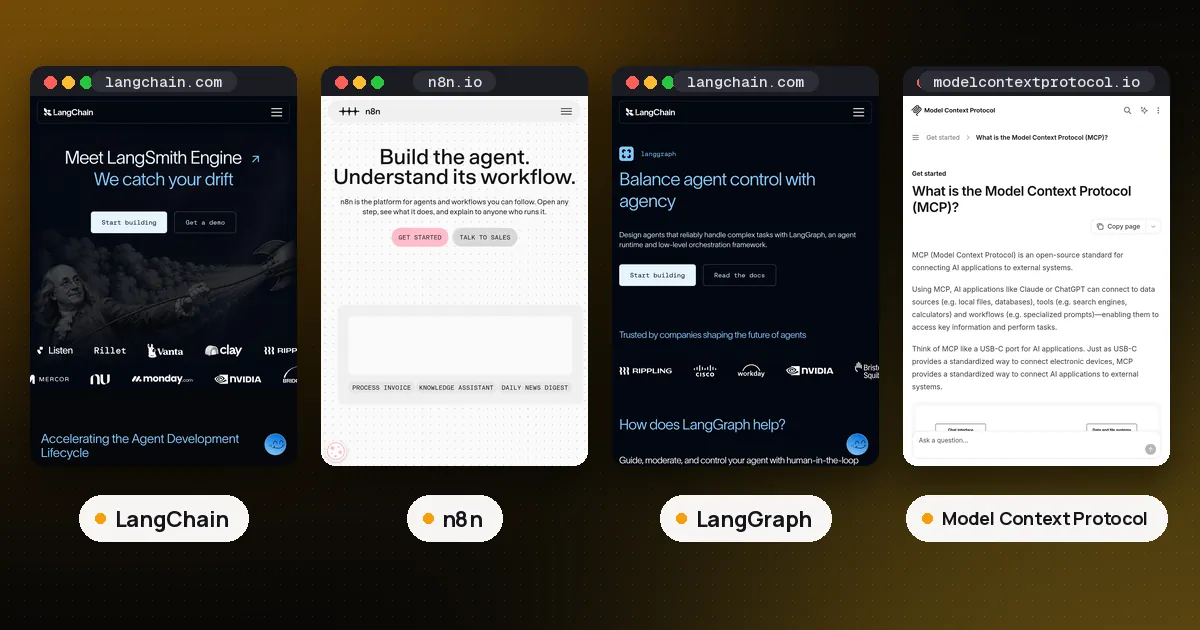
LangChain vs n8n comes down to who builds and edits the agent. Pick LangChain if developers will write the agent in Python or TypeScript and ship it inside their own product: it is an MIT licensed library with full control over the loop, the state and the tests. Pick n8n if the job is mostly connecting apps (a form, a CRM, Slack, a database) with an AI step in the middle, and you want people to see and change that flow on a canvas. They are not really rivals: n8n's AI nodes are built on LangChain's JavaScript framework, and the two connect cleanly over MCP or a plain HTTP call.
Below: how you build, what each license allows, what each costs, and how to use both together. We ran both on October 24, 2026 with n8n 2.44.6 (self hosted from npm on Node 24) and langchain 1.4.7 with langchain-mcp-adapters 0.3.2 in Python. Facts come from the official n8n docs, the n8n license FAQ, the LangChain overview and both pricing pages.
LangChain vs n8n at a glance
| Item | LangChain | n8n |
|---|---|---|
| What it is | Open source agent framework (a code library) | Workflow automation platform with AI nodes |
| How you build | Python or TypeScript code | Visual canvas, plus Code nodes in JavaScript or Python |
| Agent engine | create_agent, running on LangGraph | AI Agent node, built on LangChain JS |
| Integrations | Model, vector store and tool packages you install | Hundreds of app nodes plus an HTTP Request node |
| License | MIT | Sustainable Use License (source available, not OSI open source) |
| Hosting | Wherever your code runs; LangSmith Deployment optional | n8n Cloud or self hosted |
| Price | Free library; LangSmith from $0, Plus $39 per seat per month | Cloud from 20 EUR per month billed annually; Community Edition free to self host |
| MCP | Client via langchain-mcp-adapters | MCP Client Tool node and MCP Server Trigger node |
| Best for | Agents inside your own app, custom logic, tests in CI | Business automations with an AI step, ops teams, quick internal tools |
The real difference: a library vs a platform
LangChain is code you import. You write the agent, its tools and its state handling, and you deploy it the way you deploy any Python or Node service. Since LangChain 1.0, create_agent returns a compiled LangGraph graph, so you get checkpointing, streaming and human review built in. If you need fixed steps or several agents with set handoffs, you drop to LangGraph itself (our LangChain vs LangGraph guide covers where that line sits).
n8n is an application you run. You build a workflow on a canvas: a trigger (webhook, schedule, chat message, form, a new row in a sheet), then nodes for each step. AI pieces are cluster nodes. An AI Agent root node gets a chat model, a memory and tools attached as sub nodes, and the n8n docs map each one to its LangChain concept: chains, agents, vector stores, memory, retrievers, embeddings, document loaders, output parsers and text splitters. One gap the docs call out: memory sub nodes only attach to the AI Agent node, so n8n's chain nodes cannot remember earlier messages.
We confirmed the shared engine on the box. The npm package @n8n/n8n-nodes-langchain 2.44.4, which ships n8n's AI nodes, depends on langchain 1.2.30, @langchain/core 1.2.8 and @langchain/langgraph 1.0.2, plus provider packages for OpenAI, Anthropic, Ollama, Qdrant and others.
So the real question is where the logic should live: in your codebase, or in a workflow tool other people can open and change.
When to use LangChain
- The agent is part of your product. A support agent in your SaaS or an agent behind your API that you want in your repo, reviewed in pull requests and tested in CI.
- You need control over the loop. Middleware around model and tool calls, custom retry rules, structured output, your own state schema, or a LangGraph flow with branches and loops.
- Your users configure agents. LangChain's MIT license lets you build a product where customers create their own agents. n8n's free license does not allow that (see the license section below).
If you are starting from zero, our step by step guide to building an agent from scratch shows the loop without any framework, which makes LangChain's abstractions easier to judge.
When to use n8n
- The work is mostly integration. Read a new ticket, classify it with a model, look up the customer in the CRM, post a summary to Slack. In n8n most of that is existing nodes, and the AI step is one node in the middle.
- People who don't write code need to own it. An ops or marketing team can open the workflow, see each run's data and change a prompt without a deploy.
- You want triggers and retries handled for you. Schedules, webhooks, error workflows, execution history and automatic retries come with the platform.
- You want an internal agent fast. A chat trigger, an AI Agent node, a memory node and a few tools make a working internal assistant.
n8n also covers some of the agent basics directly. Its pricing page lists the AI Agent node, an MCP Server Trigger, an MCP Client, human approval for tool calls and evaluations on every Cloud plan. For more ideas on business setups, see our AI agents for small business guide.
Licenses: is n8n open source?
No, and this matters more than any feature. LangChain (Python and JavaScript) is MIT licensed: use it, change it, sell products built on it.
n8n uses the Sustainable Use License, a source available license n8n wrote in 2022, plus a separate n8n Enterprise License for files with .ee. in the name. Under the free Community license you may use n8n for your own internal business purposes or for personal and non commercial use. The license FAQ spells out the practical line:
- Allowed: running n8n to help run your business, building automations for clients on your instance as long as they cannot create or edit them, charging for setup and maintenance work, and using n8n behind the scenes in your product where users trigger automations you built.
- Not allowed: hosting n8n as a service where clients build workflows, letting external users build or configure workflows through your product (the FAQ names a custom UI, the API, MCP and AI agents acting for the user), forking n8n to launch your own automation product, or white labeling it.
The FAQ's test is who controls the workflow logic. If customers building automations is what you sell, you need a commercial agreement with n8n.
Pricing: LangChain vs n8n costs
LangChain itself costs nothing. You pay for model calls and your own hosting. LangSmith, LangChain's commercial platform, has a Developer plan at $0 for one seat with up to 5,000 base traces a month, and a Plus plan at $39 per seat per month with up to 10,000 base traces, then pay as you go. Plus includes one free small serverless deployment on LangSmith Deployment. LangSmith also sells Fleet, a builder for agents described in plain language, metered in LangChain Standard Units (1 LSU is $1).
n8n prices by workflow execution, not by step: one run of a whole workflow counts once, however many nodes it has. n8n Cloud Starter is 20 EUR a month and Pro is 50 EUR a month, both billed annually. The Business plan (self hosted only) is 667 EUR a month billed annually and adds SSO, Git version control and queue mode for scaling. Enterprise is custom. The self hosted Community Edition is free under the license above. Starter caps a single execution at 5 minutes and Pro at 40 minutes, which matters for long agent runs.
How to use LangChain and n8n together
You don't have to choose one for everything. Two patterns worked cleanly in our tests.
n8n workflows as tools for a LangChain agent
n8n's MCP Server Trigger node turns a workflow into an MCP server: attach tool nodes (or whole workflows through the Custom n8n Workflow Tool node), publish the workflow, and MCP clients can list and call those tools. It supports streamable HTTP and SSE, and you can require Bearer or header auth. A LangChain agent then picks the tools up with langchain-mcp-adapters:
import asyncio
from langchain.agents import create_agent
from langchain_mcp_adapters.client import MultiServerMCPClient

async def main():
    client = MultiServerMCPClient({
        "n8n": {
            "transport": "streamable_http",
            "url": "http://localhost:5678/mcp/orders",  # production URL from the MCP Server Trigger
        }
    })
    tools = await client.get_tools()  # n8n tool nodes become LangChain tools
    agent = create_agent("openai:gpt-5", tools)
    result = await agent.ainvoke(
        {"messages": [{"role": "user", "content": "Where is order A100?"}]}
    )
    print(result["messages"][-1].content)

asyncio.run(main())
We published a workflow with an MCP Server Trigger and one Custom Code Tool called order_status, then ran this against it with a scripted stand in model so no API key was needed. get_tools() returned order_status with n8n's description and a single string input argument, the agent called it, and n8n returned "shipped on Oct 22". Swap in any model id your provider supports. Protect the endpoint with Bearer auth before exposing it beyond localhost. Our MCP server vs API guide explains when an MCP endpoint is the better contract.
n8n as the trigger, LangChain as the agent
The reverse also works: keep the agent in your codebase behind a small HTTP endpoint, and let n8n handle the trigger and the follow up steps. We built a Webhook node followed by an HTTP Request node that posts the ticket text to a local LangChain service. A curl to the n8n webhook returned the agent's JSON reply. The agent stays versioned and tested in code; the flow around it stays editable on the canvas.
One thing not to rely on: n8n's LangChain Code node, which let you write LangChain JavaScript inside a workflow. The n8n docs now say it has critical security issues, is deprecated from n8n 2.35.0 and hidden from the nodes panel. In our 2.44.6 install it was flagged hidden. Use the normal Code node or an external service instead.
Alternatives worth a look
For a visual builder focused on agents, compare Flowise, Langflow and Dify, and check each license. For other code frameworks, see LangGraph vs CrewAI vs OpenAI Agents SDK and the best AI agent framework for Python.
Verdict
Use LangChain when the agent is software you ship: you need the MIT license, version control, tests and full control over the loop. Use n8n when the agent is one step in a business process that non developers should be able to see and edit, and when it runs for your own organization. For many teams the best setup is both: n8n for triggers and app glue, LangChain for the agent itself, joined by MCP or HTTP.
FAQ
Is n8n built on LangChain?
Its AI features are. The n8n docs say its AI nodes use LangChain's JavaScript framework, and the node package depends on langchain, @langchain/core and @langchain/langgraph. The rest of n8n (triggers, app nodes, the editor) is n8n's own code.
Can I use n8n commercially for free?
Yes for internal business use, client automations your clients cannot edit, and n8n running quietly behind your product. No if your customers build or configure workflows themselves. That needs a commercial license.
Does n8n support MCP?
Yes. The MCP Client Tool node lets an n8n AI Agent call external MCP servers, and the MCP Server Trigger node exposes n8n tools to MCP clients such as a LangChain agent or Claude Desktop. Our guide to running an MCP server locally covers testing those connections.
Can n8n run Python?
The Code node runs JavaScript or Python. On n8n Cloud you cannot import external npm modules; self hosted instances can enable built in and external modules.
Do I need LangSmith to use LangChain?
No. LangSmith is optional tracing, evaluation and deployment. Self hosted n8n can also send traces to LangSmith through environment variables, a feature the docs say is not available on n8n Cloud.