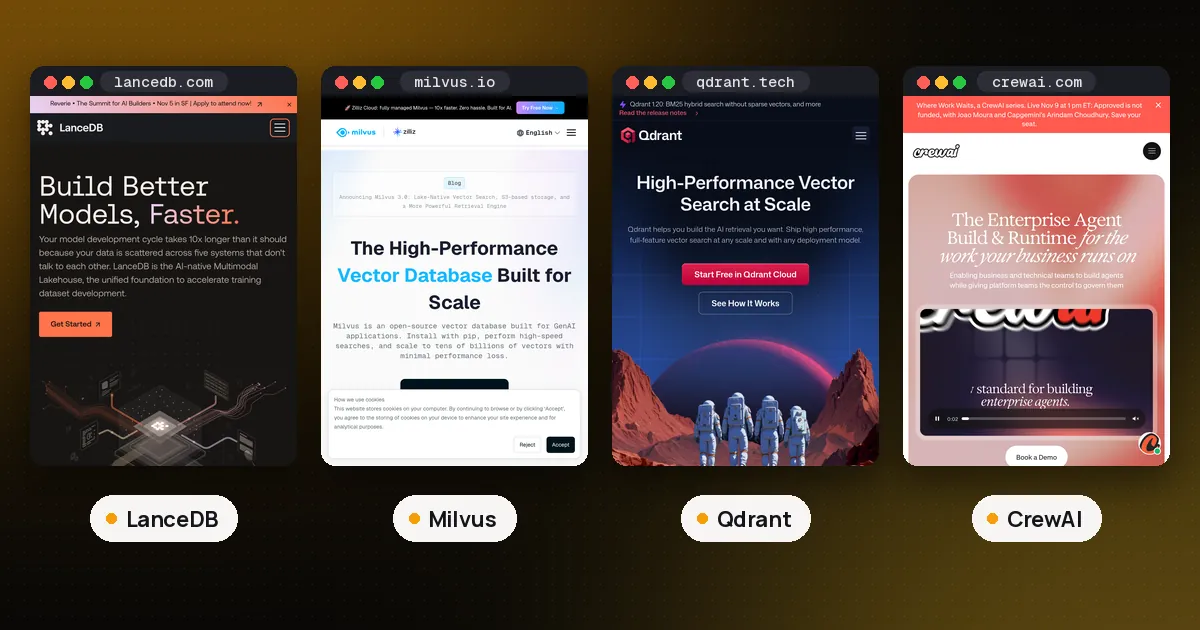
LanceDB vs Milvus is a choice between two ways to grow. Pick LanceDB when one app or one agent owns its data and you want the database to stay a folder (or an S3 bucket) for as long as possible. Pick Milvus when you expect to end up on a shared server or a cluster, because the same pymilvus code runs on Milvus Lite (a local file), Milvus Standalone (one Docker container), Milvus Distributed (Kubernetes) and the managed Zilliz Cloud. Both are open source under Apache 2.0 and both do dense vector, BM25 keyword and hybrid search, so the deciding question is where your agent's memory will live a year from now.
We checked both against their official docs on October 22, 2026 and ran the code below on the box with lancedb 0.40.0, pymilvus 3.0.2 and milvus-lite 3.2.2 (released October 13, 2026) on Python 3.13. The latest Milvus server release was v3.0.3, dated October 14, 2026 in the Milvus release notes.
LanceDB vs Milvus at a glance
| Item | LanceDB | Milvus |
|---|---|---|
| Shape | Embedded library in your process | Lite (embedded), Standalone (one server), Distributed (cluster) |
| Local storage | A directory of Lance files | Milvus Lite: a local .db directory with a file lock |
| Remote storage | S3, GCS or Azure Blob, read directly by the library | MinIO or another object store behind the server |
| Clients | Python, TypeScript, Rust | Python, Go, Java, Node.js, C# and REST on the server; Python for Lite |
| Keyword search | BM25 full text index | BM25 function that fills a sparse vector field |
| Hybrid search | query_type="hybrid", RRF by default | hybrid_search with RRFRanker or WeightedRanker |
| Per user data | SQL style where filters | Partition key, partitions, collections or databases |
| Auth | None in OSS (it is a library) | None in Lite; access control on Standalone and Distributed |
| Hosted option | LanceDB Enterprise (sales quote) | Zilliz Cloud with a $0 Free plan and Serverless |
| License | Apache 2.0 | Apache 2.0 |
What LanceDB is
LanceDB is an embedded retrieval library built on the Lance columnar file format. You pip install lancedb, call lancedb.connect("./agent_memory"), and the database is a folder. Point the same call at an s3://, gs:// or az:// URI and stateless workers can share one bucket with no server in between.
The parts that matter for agents, all from the LanceDB docs:
- Versioned tables. Every write makes a new version you can check out or restore, which helps when a bad batch of memories needs rolling back.
- Storage you pick. The storage guide ranks object storage as cheapest with latency in the hundreds of milliseconds, and local NVMe as fastest.
- Single node scale. The OSS FAQ says it "can comfortably handle millions of vectors on a single node" and points much larger workloads toward Enterprise.
- Already inside CrewAI. CrewAI memory uses LanceDB as its default backend.
The weak spot is many writers at once. The same FAQ warns that "too many concurrent writers can lead to failing writes." We covered that in more detail in LanceDB vs Qdrant.
What Milvus is
Milvus is a vector database that its deployment overview splits into three modes:
- Milvus Lite is a Python library for notebooks, tests and small apps.
MilvusClient("./demo.db")starts it. The docs recommend it for "up to a few million vectors." - Milvus Standalone packs every component into one Docker image. The overview says it can scale "up to 100M vectors given enough machine resource."
- Milvus Distributed runs on Kubernetes with separate nodes for ingestion and queries, for 100 million up to tens of billions of vectors.
The point of the design is that "the client side code interacting with Milvus Lite can also work with Milvus instances in other deployment modes." You change the URI, not the program.
Milvus Lite changed a lot this year. The Milvus Lite README says the current generation "is rebuilt from scratch in pure Python" with a write ahead log, Parquet segments and FAISS indexes, and that .db files from the older C++ based package are not compatible. If an old tutorial's database won't open, that is why.
Same agent memory in both
Here is one job in each: store a few memories for two users, then run a hybrid search (meaning plus the keyword "Hetzner") over Ana's memories only. embed() stands in for any embedding model with a fixed vector size.
LanceDB:
import lancedb
from lancedb.index import FTS

db = lancedb.connect("./agent_memory")
rows = [{**m, "vector": embed(m["text"])} for m in memories]
tbl = db.create_table("memories", data=rows, mode="overwrite")
tbl.create_index("text", config=FTS(), replace=True)

hits = (tbl.search(query_type="hybrid")
          .vector(embed("how does this user deploy"))
          .text("Hetzner")
          .where("user_id = 'ana'", prefilter=True)
          .limit(3)
          .to_list())
Milvus (Lite here; swap the path for http://localhost:19530 on a server):
from pymilvus import (MilvusClient, DataType, Function, FunctionType,
                      AnnSearchRequest, RRFRanker)

client = MilvusClient("./agent_memory.db")
schema = MilvusClient.create_schema(auto_id=True)
schema.add_field("id", DataType.INT64, is_primary=True)
schema.add_field("user_id", DataType.VARCHAR, max_length=64, is_partition_key=True)
schema.add_field("text", DataType.VARCHAR, max_length=2000, enable_analyzer=True)
schema.add_field("vector", DataType.FLOAT_VECTOR, dim=DIM)
schema.add_field("sparse", DataType.SPARSE_FLOAT_VECTOR)
schema.add_function(Function(name="bm25", function_type=FunctionType.BM25,
    input_field_names=["text"], output_field_names=["sparse"]))

idx = client.prepare_index_params()
idx.add_index(field_name="vector", index_type="AUTOINDEX", metric_type="COSINE")
idx.add_index(field_name="sparse", index_type="SPARSE_INVERTED_INDEX", metric_type="BM25")
client.create_collection("memories", schema=schema, index_params=idx)
client.insert("memories", [{**m, "vector": embed(m["text"])} for m in memories])

ana = "user_id == 'ana'"
hits = client.hybrid_search("memories", [
    AnnSearchRequest(data=[embed("how does this user deploy")], anns_field="vector",
                     param={}, limit=3, expr=ana),
    AnnSearchRequest(data=["Hetzner"], anns_field="sparse", param={}, limit=3, expr=ana),
], ranker=RRFRanker(), limit=3, output_fields=["user_id", "text"])
Both returned only Ana's two memories in our run. The difference is visible in the code: LanceDB infers a table from your rows, while Milvus wants a schema up front, and its BM25 field is filled by the database from the text field, so you never send sparse vectors yourself. More setup on day one, but the schema is the same one a Milvus cluster would use.
Where each one breaks down
Two processes on one local database
LanceDB lets several processes open the same folder, with the write retry caveat above. Milvus Lite does not. Its README lists "single process per data_dir" as a known limitation, and when we opened the same .db from a second Python process, it failed with DataDirLockedError: another process holds the lock. That bites agent setups where a CLI, a background worker and an MCP server all want the same memory.
Milvus Lite's answer is milvus-lite server --data-dir ./data --port 19530, a local gRPC server that several clients can share; we connected to it with MilvusClient(uri="http://127.0.0.1:19530"). The README still says "writes to the same collection must be serialized" and that the server has no authentication or TLS, so keep it on localhost. For real shared use, move to Standalone.
Many users in one store
LanceDB has no tenant concept: you filter on a user_id column or give each user a table. Milvus has four documented options in its multitenancy guide: one database per tenant (64 by default), one collection per tenant (65,536 by default), partitions (up to 1,024 per collection) or a partition key, which "supports millions of tenants" with logical rather than physical isolation. For a product where every user has an agent with memory, the partition key used in the example above is the usual pick.
Running with nothing to operate
LanceDB wins here, and keeps winning further along. A folder in S3 gives you shared, durable storage with zero servers. Milvus Lite also needs no server, but once you outgrow one process, the next step is running Milvus Standalone (a container with embedded etcd, ports 19530 and 9091 for its web UI, per the Docker install guide) or paying for Zilliz Cloud.
Very large or fast growing data
Milvus wins. Its documented path runs from a laptop to tens of billions of vectors on Kubernetes with no client rewrite, plus access control and several consistency levels on the server modes. LanceDB OSS stays a single node library, and its larger scale option is Enterprise through sales.
MCP access for coding agents
Zilliz publishes mcp-server-milvus, which runs with uv, points at a Milvus URI and works over stdio or SSE, so Claude Code, Cursor and other MCP clients can search a collection. LanceDB has no official MCP server in its docs; you would wrap it yourself, as in our MCP server in Python guide.
Pricing
Self hosting is free for both. LanceDB's hosted product is LanceDB Enterprise for private or bring your own cloud deployments, priced by quote. Zilliz Cloud pricing lists a $0 Free plan for learning and personal projects, Serverless from $0 a month, Dedicated clusters billed by compute unit and a BYOC option. If you want a hosted endpoint you can sign up for today, that points to Milvus.
Which should you use?
- A single agent, CLI or desktop app: LanceDB. One folder, no lock to fight, no schema to declare.
- CrewAI with memory on: keep LanceDB, the default, until it hurts.
- A prototype you already know will become a multiuser service: Milvus Lite now, Standalone or Zilliz Cloud later, with the same code.
- Thousands or millions of users with their own memories: Milvus with a partition key.
- Memory shared by several local processes: LanceDB, or Milvus Lite in server mode while you prototype.
- Agents that should query the store through MCP out of the box: Milvus.
If neither fits, Qdrant is the other common server choice (see how to use Qdrant vector database), and Chroma is another embedded option. Our vector databases directory lists the rest, and how to build a RAG pipeline with LangGraph shows where the store fits in an agent. For memory layers that sit on top of these databases, see AI agent memory: Mem0 vs Letta vs Zep.
FAQ
Is Milvus Lite the same as Milvus?
It speaks the same pymilvus API, but it is a separate engine written in pure Python, meant for local development and small workloads. Its README lists the gaps: no authentication or RBAC, no binary, float16 or int8 vectors, no product quantization indexes, and one process per data directory.
Can I move data from Milvus Lite to a Milvus server?
Your code moves by changing the URI. Your data moves through milvus-lite dump, which exports a collection to BulkWriter JSON files that Milvus Bulk Insert and Zilliz Cloud import can read.
Is LanceDB faster than Milvus?
We have not benchmarked them against each other, and neither project's docs give a neutral answer. Speed depends on the storage backend, index type, filters and how many clients query at once. Test with your own data.
Does LanceDB have a server mode?
Not in the open source edition. Teams that need a shared service either put their own API in front of it or use LanceDB Enterprise, which serves remote tables over db:// connections.
Which one does LangChain support?
Both. Milvus has its own langchain-milvus package, and LanceDB's docs include a LangChain integration page, so either works as a vector store in LangChain.