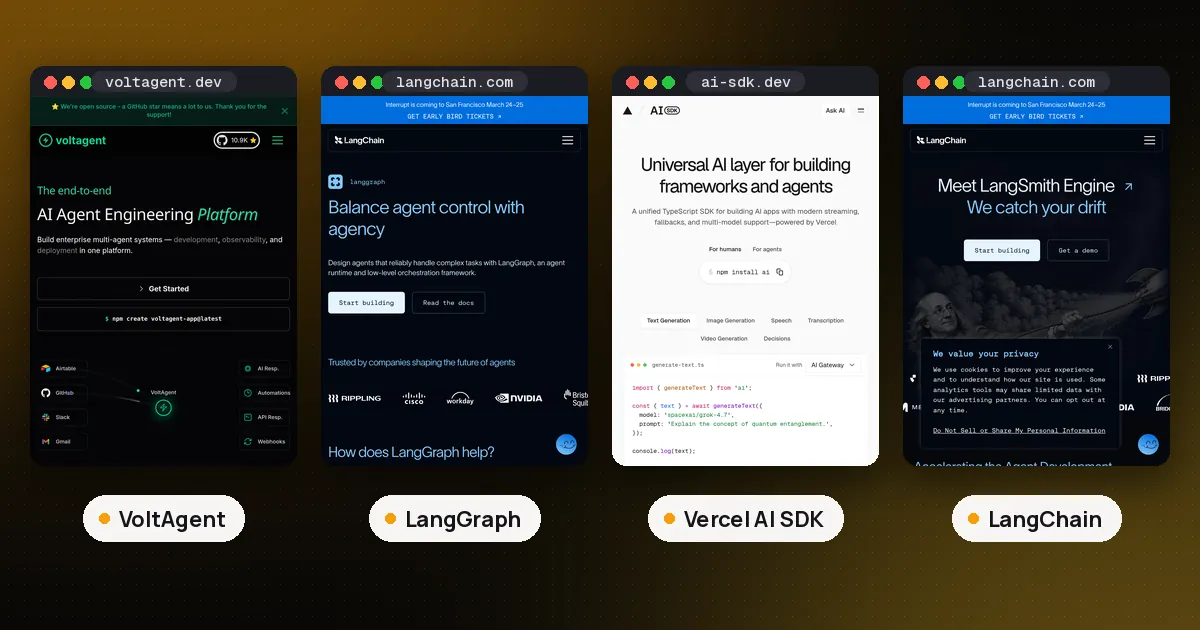
VoltAgent vs LangGraph is a language and control model choice. Pick VoltAgent if your product is TypeScript and you want agents, typed tools, workflows, MCP and an optional ops console in one framework that sits on the Vercel AI SDK. Pick LangGraph if you need a durable state graph with checkpoints, interrupts and resume that works the same way in Python and JavaScript, including long running branches that must survive crashes. Both are MIT licensed at the library level. They solve overlapping jobs with different primitives: VoltAgent starts from Agent and createWorkflowChain(), LangGraph starts from a typed state, nodes and edges.
We checked the VoltAgent overview, the VoltOps pricing page, the LangGraph overview and the LangGraph checkpointer docs on November 6, 2026, and ran the same small agent and refund flow in both on this box.
VoltAgent vs LangGraph at a glance
| Item | VoltAgent | LangGraph |
|---|---|---|
| Made by | VoltAgent | LangChain Inc. |
| Languages | TypeScript (Node) | Python and JavaScript / TypeScript |
| Latest we used | @voltagent/core 2.11.1 | Python langgraph 1.2.20; npm @langchain/langgraph 1.7.1 |
| Core idea | Agent, tools, memory, supervisors, workflow chains | Typed state, nodes, edges, checkpointers |
| Model layer | Vercel AI SDK (ai 6 is a peer dependency of 2.11.1) | Any chat model; often paired with LangChain |
| Durable runs | Workflow suspend and resume; set persistent workflowMemory for restarts | Checkpoints every superstep; interrupt and Command(resume) |
| Observability | Optional VoltOps console (hosted or Enterprise self hosted) | Optional LangSmith; library works alone |
| License | MIT | MIT |
| Best fit | TypeScript product agents with REST and typed workflows | Explicit long running control flow in Python or JS |
How each one models an agent
In VoltAgent an agent is an object with a name, instructions, a model and tools. You call generateText or streamText from your app, or you register the agent on a VoltAgent instance with @voltagent/server-hono and hit REST routes such as /agents/:id/text and /agents/:id/chat. Tools come from createTool() with Zod schemas, or from MCP servers through MCPConfiguration. Supervisors and sub agents cover delegation. Conversation memory defaults to in memory storage; LibSQL and other adapters persist it.
LangGraph does not ship a single "Agent" class as its main API. You define a state schema, write nodes that update that state, and connect them with edges, including conditional edges. A checkpointer saves state after each superstep under a thread_id, which is what makes pause, crash recovery and time travel possible. For a ready made tool loop, LangChain's create_agent compiles to a LangGraph graph (CompiledStateGraph), so the higher level agent API and the lower level graph share one runtime. Our LangChain vs LangGraph guide covers when to stay on create_agent and when to drop down to StateGraph.
The practical difference: VoltAgent wants you to ship a typed TypeScript service quickly. LangGraph wants you to own every transition in a durable graph, in the language your backend already uses.
Orchestration: workflow chains vs state graphs
VoltAgent workflows are a chain API marked preview in the docs: stable and usable, but open to breaking changes. You call createWorkflowChain(), then add steps with .andThen() for code, .andAgent() for a model call, .andWhen() for a branch, and .andAll() or .andRace() for parallel work. A step can suspend() and later continue with typed resumeData. Suspended runs need persistent workflow memory (LibSQL, Postgres or Supabase) if the process may restart; the default in memory store loses them. We covered that catch in detail in VoltAgent vs n8n.
LangGraph orchestration is a graph. Nodes are functions. Edges choose the next node. Human approval is usually an interrupt() inside a node; the invoke call returns with __interrupt__ metadata, and you continue with Command(resume=...). Durability modes (exit, async, sync) control when checkpoints are written. Checkpointers exist for memory, SQLite, Postgres and other backends. That design is why LangGraph shows up in production workflows that must wait days for a person and still resume on the same thread.
If your flow is mostly "agent, then tool, then maybe ask a person," both work. If your flow is a branching process with many deterministic steps and a few model calls, LangGraph's graph is the clearer map.
What we tested
We built the same two jobs in both stacks on November 6, 2026, with fake models and no paid services.
Order lookup agent. A support assistant with one tool, order_status, that returns a fixed shipping string. In LangGraph we used create_agent with LangChain 1.4.9 and a FakeMessagesListChatModel whose bind_tools returned itself (the stock fake models raise NotImplementedError on bind_tools). The agent called the tool and answered Order A17 shipped Nov 5. The returned type was CompiledStateGraph. In VoltAgent we passed a small fake LanguageModelV2 that first emitted a tool call and then a final text turn. With @voltagent/core 2.11.1 and ai 6.0.323, generateText returned the same shipping line.
Refund approval flow. Amounts of $100 or less auto approve. Larger amounts wait for a human. In LangGraph a one node StateGraph with interrupt auto approved $40, suspended on $250 with __interrupt__, and after Command(resume={"approved": False}) finished with approved: False. In VoltAgent a createWorkflowChain registered on a Hono server (port 3155) completed $40 as approved through POST /workflows/refund/execute, returned status: suspended for $250, and completed as rejected after POST /workflows/refund/executions/{id}/resume with resumeData: { approved: false }.
What this does not show: model quality, token cost, latency under load, or VoltOps / LangSmith dashboards. Both tests used fakes on purpose.
# LangGraph: interrupt inside a node, resume with Command
from langgraph.types import interrupt, Command

def decide(state):
    if state["amount"] <= 100:
        return {"approved": True, "note": "auto"}
    decision = interrupt({"need": "approval", "amount": state["amount"]})
    return {"approved": bool(decision.get("approved")), "note": "human"}

# later
app.invoke(Command(resume={"approved": False}), {"configurable": {"thread_id": "r2"}})
// VoltAgent: suspend inside a workflow step, resume over REST
.execute: async ({ data, suspend, resumeData }) => {
if (resumeData) {
return { ...data, status: resumeData.approved ? "approved" : "rejected" };
}
if (data.amount <= 100) return { ...data, status: "approved" };
await suspend("need approval", { amount: data.amount });
return { ...data, status: "pending" };
}Languages and team fit
VoltAgent is TypeScript only. That is a feature when your app, API and agent share one language and one CI pipeline. It is a blocker for Python data teams. LangGraph ships first class Python and JavaScript packages with matching concepts, so a research team can prototype in Python and a frontend team can run the same graph shape in Node.
If you are choosing among TypeScript options more broadly, our best TypeScript AI agent frameworks roundup compares Mastra, the Vercel AI SDK, LangGraph.js and others, and links VoltAgent as a runner up. If you are choosing among Python options, start with best AI agent framework for Python and the deeper LangGraph vs CrewAI vs OpenAI Agents SDK compare.
MCP, tools and integrations
Both speak Model Context Protocol. VoltAgent loads MCP tools with MCPConfiguration (http, streamable HTTP, SSE and stdio) and can expose a project as an MCP server through a separate package. LangGraph nodes can call any Python or JS function; MCP usually arrives through LangChain MCP adapters or a thin client you write yourself. Neither framework tries to replace a large SaaS connector catalog. For that job see VoltAgent vs n8n or LangChain vs n8n.
VoltAgent's model layer is the Vercel AI SDK, so provider packages and streaming helpers match what many Next.js apps already use. Note the peer range: @voltagent/core 2.11.1 depends on ai ^6, while AI SDK 7 is current on npm, so you may pin ai 6 in the agent service even if the UI package is on 7. LangGraph stays model agnostic; you bind whatever chat model your stack uses.
Observability and pricing
The VoltAgent framework is free. VoltOps is the optional console for traces, actions, triggers, evals, prompts and deployment. On November 6, 2026 the pricing page listed Developer at $0 (1 seat, 250 traces a month, 7 day retention, 100 actions and 100 triggers), Core at $50 a month (up to 3 seats, 50,000 traces, 5,000 actions and triggers) and Pro at $250 a month (up to 20 seats, 250,000 traces), with self hosted VoltOps on Enterprise. Our test used none of VoltOps.
LangGraph the library is free. LangSmith is the optional tracing, eval and deploy platform from the same company. You can run LangGraph with no LangSmith account. Hosted deployment and Studio are paid LangSmith features; check LangChain's pricing page for current plan numbers before you budget, since they change.
Which should you choose?
- Choose VoltAgent when the agent lives inside a TypeScript product, you want Zod typed tools and workflow chains in one framework, you like AI SDK streaming and model strings, and an MIT license with an optional ops console is enough.
- Choose LangGraph when you need durable, inspectable control flow, the same graph ideas in Python and JS, checkpoints that survive crashes, or you already use LangChain and LangSmith.
- Use both only when the boundaries are clear: for example a TypeScript VoltAgent service for product chat, and a Python LangGraph worker for a long running back office process. Prefer one orchestration runtime per workflow so state does not fork.
FAQ
Is VoltAgent a LangGraph alternative?
For TypeScript teams building product agents, yes, it is a reasonable alternative. It is not a drop in replacement for LangGraph's checkpointed graph API, and it does not give you a first class Python runtime. If durable graphs are the requirement, pick LangGraph (or LangGraph.js) instead of stretching VoltAgent workflows.
Does LangGraph work in TypeScript?
Yes. @langchain/langgraph mirrors the Python concepts: state, nodes, edges and checkpointers. On November 6, 2026 npm reported 1.7.1. Our durable interrupt test in this guide ran on the Python package 1.2.20; the TypeScript API is documented on the same LangGraph overview site under the JavaScript section.
Is VoltAgent free?
Yes. @voltagent/core is MIT licensed and free. VoltOps, the hosted console, has a free Developer plan and paid Core and Pro plans. You can run agents and workflows without VoltOps.
Does LangGraph need LangChain?
No. LangGraph is a separate package and can run with plain functions as nodes. Many tutorials use LangChain models and create_agent because that is the shortest path to a tool loop, and create_agent compiles to a LangGraph graph.
Can both pause for human approval?
Yes. VoltAgent uses needsApproval on tools and suspend / resume in workflows (persist workflow memory for long waits). LangGraph uses interrupt and Command(resume=...) with a checkpointer. We tested both approval paths on November 6, 2026 with fake models.
VoltAgent or LangGraph for multi agent systems?
VoltAgent has supervisors and sub agents as first class agent options. LangGraph models multi agent systems as graphs or subgraphs, which is more work to set up and easier to inspect under load. For role based crews in Python, also compare CrewAI in our three way guide; for TypeScript product routing, VoltAgent supervisors are usually faster to ship.