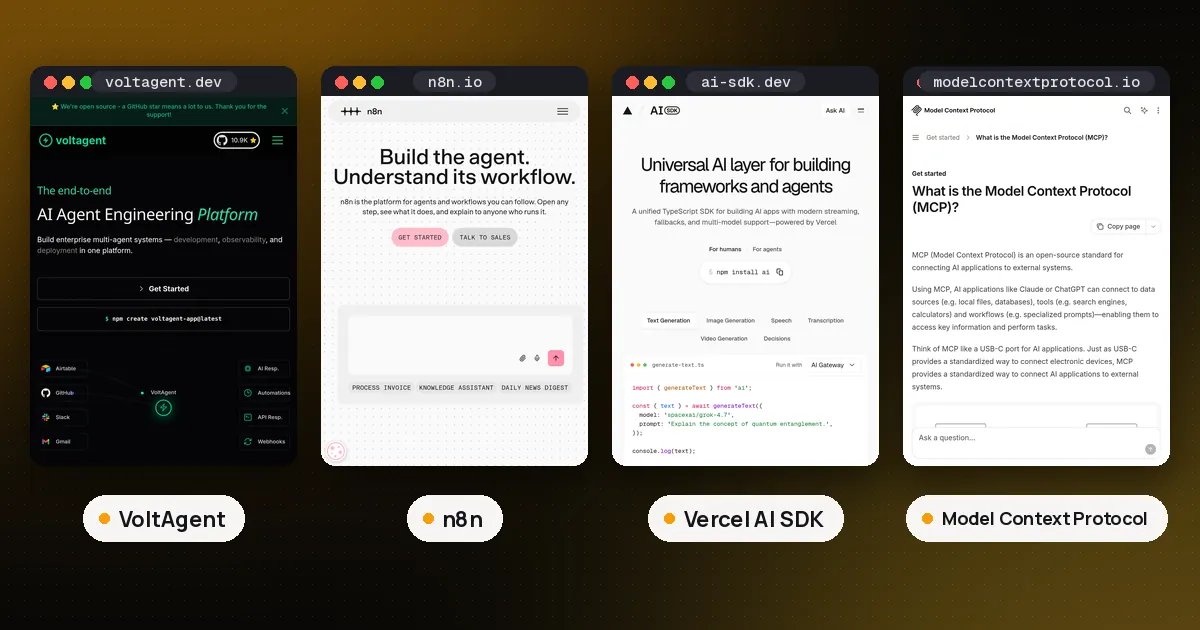
VoltAgent vs n8n is really a choice about where your automation lives. Pick VoltAgent if TypeScript developers will build the agent inside their own app and want every step, tool and approval rule in code they can test and review. Pick n8n if the job is mostly moving data between business apps with an AI step in the middle, and people who do not write code need to see and change the flow. n8n wins on integrations by a wide margin; VoltAgent wins on control and on its MIT license. Many teams end up using both, and the two connect over plain HTTP in a few minutes.
We tested both on November 2, 2026: VoltAgent 2.11.0 with a fake scripted model, and n8n 2.45.7 self hosted from npm. Facts below come from the VoltAgent workflow docs, the VoltOps pricing page, the n8n pricing page and the n8n license file on GitHub.
VoltAgent vs n8n at a glance
| Item | VoltAgent | n8n |
|---|---|---|
| What it is | TypeScript framework for agents and workflows | Workflow automation platform with AI nodes |
| How you build | Code: new Agent(), createTool(), createWorkflowChain() | Visual canvas, plus Code nodes in JavaScript or Python |
| Model layer | Built on the Vercel AI SDK (ai 6 is a peer dependency) | AI Agent node built on LangChain JS |
| Integrations | Your own code, MCP servers, and VoltOps Actions and Triggers (7 providers each) | 1500+ integrations per its README, on every plan, plus HTTP Request |
| Human approval | needsApproval on tools, suspend() and resume() in workflows | Human review step for tools, Wait node |
| License | MIT | Sustainable Use License (source available) |
| Price | Framework free; VoltOps console from $0, Core $50 a month | Community Edition free to self host; Cloud from 20 EUR a month billed annually |
How you build in each one
In VoltAgent everything is a TypeScript object. An agent gets a model, instructions and a list of tools made with createTool(), each with a Zod schema for its inputs. A workflow is a chain: createWorkflowChain() followed by steps such as .andThen() for plain code, .andAgent() for a model call, .andWhen() for a branch and .andAll() or .andRace() for parallel steps. Types flow from one step to the next, so your editor knows what data each step receives. The docs label the Workflows API as preview, which means stable and usable but open to breaking changes.
Register agents and workflows with a VoltAgent instance and add the Hono server package, and you get a REST API on port 3141 with Swagger UI at /ui. That is how other systems call it: POST /workflows/{id}/execute starts a run.
In n8n you open the editor in a browser, drop a trigger (webhook, schedule, form, chat message or an app event) and chain nodes after it. AI work happens in cluster nodes: an AI Agent root node with a chat model, memory and tools attached underneath. A person who has never seen the flow can click any node and read its input and output for each past run. For how n8n compares with a code library more broadly, see our LangChain vs n8n guide, which covers the shared LangChain engine under n8n's AI nodes.
Integrations: the biggest practical gap
This is where the two differ most. The n8n README on GitHub claims 1500+ integrations, the pricing page says every plan includes all of them, and the library covers the usual CRMs, chat apps, spreadsheets, databases and email, with an HTTP Request node for anything missing. Credentials are stored in n8n's encrypted credential store and reused across workflows.
VoltAgent leaves integrations to you. You write a tool that calls the API, or you connect an MCP server through MCPConfiguration and hand its tools to the agent (our what is MCP guide explains the protocol). The paid VoltOps console adds managed Actions and Triggers. Its docs list seven trigger providers (Slack, Gmail, Google Calendar, Google Drive, Airtable, GitHub and cron schedules) and seven action providers (Airtable, Slack, Discord, Gmail, Google Calendar, Google Drive and Postgres). The free Developer plan includes 100 actions and 100 triggers a month.
So if your project is "when a row lands in this sheet, enrich it, ask a model and post to three tools," n8n will be faster to build. If it is "an agent inside our product that calls our own APIs," the integration gap barely matters.
Human approval and paused runs
Both tools can stop and wait for a person, but they do it in different places.
n8n has a human review step for AI tools. You attach risky tools (send an email, delete a record) to a review step, and the workflow pauses and sends an approval request through a channel you pick: n8n Chat, Slack, Discord, Telegram, Microsoft Teams, Gmail, WhatsApp, Google Chat or Outlook, according to the n8n human review docs. The reviewer approves or denies with no code on your side. For general pauses, the Wait node can resume after a delay, at a set time, on a webhook call or on a form submission, and n8n writes the paused execution to its database while it waits. Our AI agent for trade business setups use that review step for quotes, bookings and invoice reminders.
VoltAgent gives you two hooks in code. A tool with needsApproval: true (or a function such as "only when the amount is over 1,000") returns an approval request instead of running, and your own UI shows the buttons. Inside a workflow, any step can call suspend() and later be continued with resume(), either in code or through POST /workflows/{id}/executions/{executionId}/resume, as the suspend and resume docs describe. A resumeSchema validates what the reviewer sends back.
What we tested, and the catch we found
We built a refund workflow in VoltAgent: a support agent looks up the order with a tool, then an approval step auto approves refunds of $100 or less and suspends anything larger. Through the REST API, a $40 refund completed in one call. A $250 refund came back with status suspended, and a resume call with approved: false finished it as rejected. A second resume on the same run failed with a clear "not in suspended state" error, which is what you want.
The catch: VoltAgent stores workflow state in memory by default. We started a $500 refund, restarted the server, and the resume call failed with "Workflow state not found." The run was gone. After adding @voltagent/libsql and passing a Memory with a SQLite file as workflowMemory, the same test survived a restart and resumed to completed. If you plan to wait hours or days for a human, set up LibSQL, Postgres or Supabase storage before you ship. n8n does not need this step, since paused executions already live in its database.
Licenses and pricing
VoltAgent's framework is MIT licensed on npm and GitHub, so you can embed it in a product you sell. VoltOps is the optional paid console for tracing, Actions and Triggers, deployment and evals. On Nov 2, 2026 its pricing page listed Developer at $0 (1 seat, 250 traces a month, 7 day retention), Core at $50 a month (up to 3 seats, 50,000 traces) and Pro at $250 a month (up to 20 seats, 250,000 traces), with self hosting of VoltOps only on Enterprise. You do not need VoltOps to run agents or workflows; our test used none of it.
n8n uses the Sustainable Use License. Its license file says code in .ee files needs a separate enterprise license. You can self host the Community Edition for free for your own business, and you may build and run workflows for clients as long as they cannot create or edit them. Hosting n8n as a service for customers or white labeling it needs a commercial license, per n8n's license FAQ. Cloud plans on Nov 2 were Starter at 20 EUR a month, Pro at 50 EUR and Business at 667 EUR (self hosted only), all billed annually, priced by workflow executions rather than steps. The Starter plan caps executions at 5 minutes and Pro at 40.
Using VoltAgent and n8n together
The cleanest split is: n8n owns the triggers and app connections, VoltAgent owns the agent logic. We built an n8n workflow with a Webhook node and an HTTP Request node that posts to the VoltAgent execute endpoint. Sending {"orderId":"C9","amount":75} to the n8n webhook returned VoltAgent's completed result; a $900 request came back suspended, ready for a reviewer to resume. You can also go the other way: n8n's MCP Server Trigger exposes n8n workflows as MCP tools that a VoltAgent agent can load.
If you are still choosing a code framework, our TypeScript AI agent frameworks guide compares VoltAgent with Mastra, the Vercel AI SDK and others. For LangGraph specifically, see VoltAgent vs LangGraph.
Which should you choose?
- Choose VoltAgent if developers own the agent, it runs inside your app, you want tests in CI and code review for every change, and an MIT license matters.
- Choose n8n if the work is connecting many SaaS apps, operations staff will edit flows, and you want approvals in Slack or email without writing UI.
- Use both when a business process needs many integrations but one step needs a serious agent with typed tools and custom logic.
FAQ
Is VoltAgent a replacement for n8n?
Not for most teams. VoltAgent has workflows, but they are TypeScript code with a small set of managed integrations through VoltOps. n8n is a full automation platform with a visual editor and a large node library. VoltAgent replaces n8n only when your flows are mostly agent logic and developers maintain them.
Is VoltAgent free?
Yes. The @voltagent/core framework is MIT licensed and free. The optional VoltOps console has a free Developer plan and paid Core ($50 a month) and Pro ($250 a month) plans on Nov 2, 2026.
Is n8n open source?
n8n calls itself fair code. Its Sustainable Use License lets you read the source and self host for free, but it is not an OSI approved open source license and limits reselling n8n as a hosted service.
Does VoltAgent have human in the loop?
Yes. Tools can set needsApproval, and workflow steps can suspend() and later resume() with typed data. Configure persistent workflow memory (LibSQL, Postgres or Supabase) or suspended runs are lost when the process restarts.
Can n8n call a VoltAgent agent?
Yes. Run VoltAgent with its Hono server and point an n8n HTTP Request node at /workflows/{id}/execute or an agent endpoint. We tested this with n8n 2.45.7 and VoltAgent 2.11.0 on the same machine.
Do VoltAgent and n8n support MCP?
Both do. VoltAgent agents load tools from MCP servers through MCPConfiguration, and a separate @voltagent/mcp-server package exposes your project as a server. n8n has an MCP Client Tool node and an MCP Server Trigger node on every plan.