To get started with Agent Development Kit (ADK), install the Python package with pip install google-adk inside a virtual environment, run adk create my_agent to scaffold a project, put a Gemini API key from Google AI Studio in the project's .env file, and then chat with the agent through adk run my_agent in the terminal or adk web in a local browser UI. That is the whole first session, and Google's own quickstart says it takes under 20 minutes. When the agent works locally, adk deploy cloud_run ships it to Google Cloud.
This guide walks through those steps in order, explains what each generated file does, and covers the choices you hit next: which model to use, how tools work, and where to deploy. Everything here was checked on October 29, 2026 against the ADK Python quickstart, the ADK deployment docs and the google-adk package on PyPI. We did not run an ADK agent first hand for this guide, so treat the commands as the documented path and check the docs if a flag has changed.
What is Agent Development Kit?
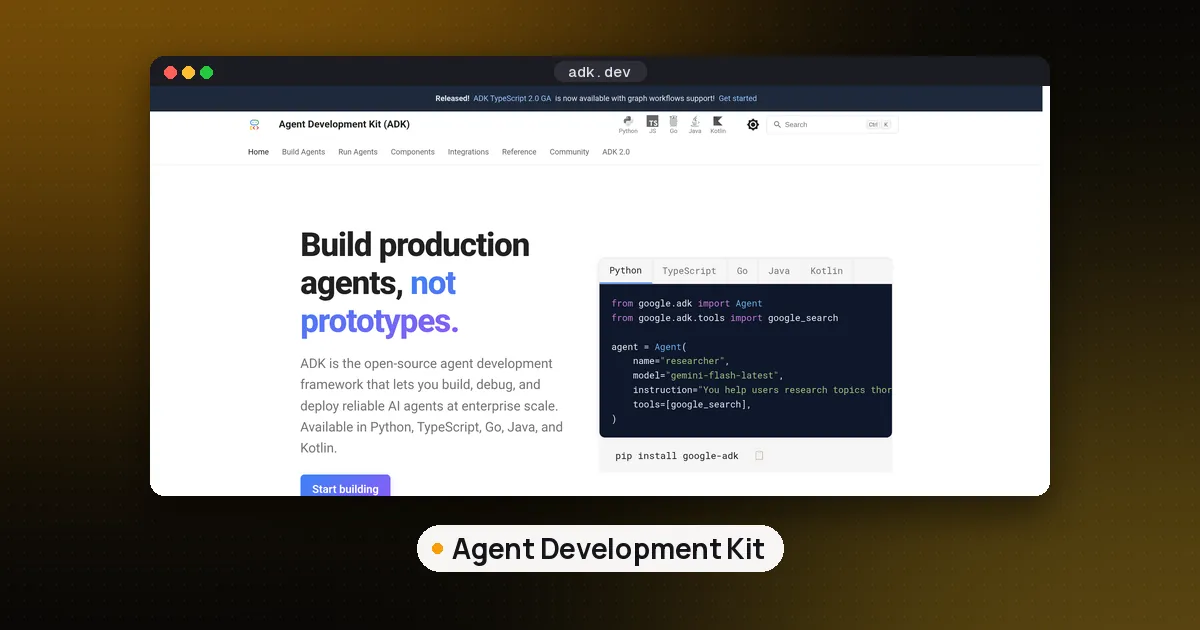
Agent Development Kit is Google's open source, code first framework for building AI agents. You define an agent in ordinary code (its model, its instructions and the tools it may call), and ADK handles the loop of calling the model, running tools and keeping session state. Google ships it for Python, TypeScript, Go, Java and Kotlin; the get started page has a quickstart for each. The Python package is google-adk, and the ADK Python repository describes it as a toolkit for building, evaluating and deploying agents.
ADK is tuned for Gemini, but it is not locked to it. The models page lists Gemini and Claude by model string, plus connector classes for LiteLLM, Apigee, Ollama, vLLM and LiteRT-LM, and a router that can pick between models at runtime with failover. See our Agent Development Kit tool page for a short profile next to other frameworks.
Agent Development Kit Google vs Microsoft: which one is this?
People often search for "agent development kit microsoft", but ADK is a Google project. Microsoft's closest equivalent is the Microsoft Agent Framework, which Microsoft describes as the direct successor to AutoGen and Semantic Kernel, built by the same teams. It installs with pip install agent-framework for Python and also has C# and Go versions (Go is in public preview). If your stack is Azure and Microsoft Foundry, start there. If you are on Google Cloud or want Gemini first support, ADK is the one this guide covers.
What you need before you start
The quickstart lists Python 3.10 or later and pip. One detail to watch: the current release on PyPI, google-adk 2.13.0 (published October 23, 2026), declares a minimum of Python 3.11, so use 3.11 or newer to avoid an install error. You also need a Gemini API key, which you create on the API Keys page of Google AI Studio. You do not need a Google Cloud project until you deploy.
Step 1: Install ADK in a virtual environment
Google recommends a virtual environment so ADK's dependencies stay out of your system Python. On macOS or Linux:
python3 -m venv .venv
source .venv/bin/activate
pip install google-adk
On Windows, activate with .venv\Scripts\activate.bat in Command Prompt or .venv\Scripts\Activate.ps1 in PowerShell. Installing the package also installs the adk command line tool you use for the rest of the guide.
Step 2: Scaffold a project with adk create
Run adk create my_agent. This makes a folder with three files:
my_agent/
  agent.py      # main agent code
  .env          # API keys or project IDs
  __init__.py
The only required element is a variable named root_agent in agent.py. ADK looks for that name when it loads your agent, so keep it even if you build a larger tree of agents under it.
Step 3: Define the agent and give it a tool
A tool in ADK can be a plain Python function. ADK reads the function's name, type hints and docstring and offers it to the model. This is the quickstart's example, with a mock clock tool:
from google.adk.agents.llm_agent import Agent

def get_current_time(city: str) -> dict:
    """Returns the current time in a specified city."""
    return {"status": "success", "city": city, "time": "10:30 AM"}

root_agent = Agent(
    model="gemini-flash-latest",
    name="root_agent",
    description="Tells the current time in a specified city.",
    instruction="You are a helpful assistant that tells the current time in cities. Use the 'get_current_time' tool for this purpose.",
    tools=[get_current_time],
)
A few habits help from day one. Write a clear docstring, because that is what the model reads when deciding whether to call the tool. Return a dictionary with a status field so the model can tell success from failure. Keep the instruction short and specific about when to use each tool. If you later want a model outside Google's registry, swap the model string for a connector object such as LiteLlm; our page on LiteLLM covers what that library does.
Step 4: Add your API key
Write the key into the agent folder's .env file as GOOGLE_API_KEY="YOUR_API_KEY". Do not commit this file: add .env to .gitignore before your first commit. When you move to Google Cloud, the Cloud Run docs switch to project based settings (GOOGLE_CLOUD_PROJECT, GOOGLE_CLOUD_LOCATION and GOOGLE_GENAI_USE_ENTERPRISE=True) and keep the API key in Secret Manager instead.
Step 5: Run the agent locally
You have two ways to talk to it. The terminal chat is adk run my_agent. The browser dev UI starts from the parent folder that contains my_agent/:
adk web --port 8000Open http://localhost:8000, pick your agent in the top left corner and type a request, such as asking for the time in Tokyo. The dev UI shows each model call and tool call, which makes it the quickest way to see why an agent did or did not use a tool. Google is clear that ADK Web is for development and debugging only, not production.
A common first mistake is running adk web from inside my_agent/. The command expects the parent folder, because it lists every agent folder it finds there.
Deploy an agent with Agent Development Kit
The deployment overview names four targets:
| Target | What it is | Good fit |
|---|---|---|
| Agent Runtime on Agent Platform | Fully managed, autoscaling service built for agents | Teams that want Google to run sessions and scaling |
| Cloud Run | Managed container platform | Most first deployments |
| Google Kubernetes Engine | Managed Kubernetes | More control, or running open models |
| Any container host | Your own Docker or Podman setup | Offline or non Google environments |
For a first deployment, Cloud Run is the shortest path in Python. The Cloud Run guide expects your agent code in agent.py, a root_agent variable, an __init__.py that imports the agent module, and a requirements.txt in the agent folder. You also need the Google Cloud CLI and a project where the default compute service account is allowed to use Cloud Build. Then you run the adk deploy cloud_run command with your project ID, your region, an optional service name and the path to your agent folder. Adding the --with_ui flag also deploys the dev UI; leave it out if you only want the API server.
Two warnings from the docs are worth acting on. First, if you do not set a session service and an artifact service, the deployed service keeps sessions in memory and loses them whenever Cloud Run recycles an instance. Second, the command asks whether to allow unauthenticated invocations; answer no unless you really want a public endpoint.
If you need custom routes, the same page shows a FastAPI entry point built with ADK's get_fast_api_app() helper and a Dockerfile you deploy with the standard Cloud Run tooling. Agent Runtime is the managed alternative; Google notes it is a paid service once you pass its no cost tier, so read its pricing page first.
Where to go after your first agent
Once the clock example works, the next steps usually are:
- Real tools. Replace the mock with a function that calls an actual API, or connect an MCP server so the agent can use tools you already run. Our what is MCP explainer covers how that protocol works.
- More than one agent. ADK supports agent hierarchies and workflow agents for sequential, parallel and loop patterns. If agents built on different frameworks need to talk to each other, read MCP vs A2A.
- Comparing frameworks. If you are still choosing, our best AI agent framework for Python guide puts ADK next to LangGraph, CrewAI and the OpenAI Agents SDK, and what is the most popular AI agent framework shows usage data. TypeScript teams can start at best TypeScript AI agent frameworks.
- Understanding the loop. To see what ADK does for you under the hood, how to build an AI agent from scratch writes the same loop by hand.
ADK compared with other ways to start
ADK makes the most sense when you want Gemini first support, a built in local dev UI and a documented route onto Google Cloud. LangGraph gives you more explicit control over state as a graph and has no tie to one cloud. The Microsoft Agent Framework is the natural pick on Azure. If you want a hosted workspace where an AI writes the app for you, rather than a framework you code against, a tool like Replit is a different kind of starting point. These frameworks are free to use as libraries; you pay for model calls and whatever hosting you choose.
FAQ
What is Agent Development Kit used for?
It is used to build AI agents in code. You give an agent a model, instructions and tools, and ADK runs the loop of model calls and tool calls, keeps session state, and gives you a local UI and deployment commands. It supports single agents and multiagent setups.
Is Google ADK free?
The framework is open source and free to install. Costs come from the model you call and from hosting such as Cloud Run or Agent Runtime, which Google notes is a paid service above its no cost tier.
Does ADK only work with Gemini?
No. Gemini is the default, but the models page documents Claude models by name and connectors for LiteLLM, Apigee, Ollama, vLLM and LiteRT-LM, so you can use other hosted or local models.
Which Python version does ADK need?
The quickstart says Python 3.10 or later, but google-adk 2.13.0 on PyPI requires Python 3.11 or newer. Use 3.11 or later.
Is there a Microsoft Agent Development Kit?
Not under that name. ADK is Google's. Microsoft's comparable framework is the Microsoft Agent Framework, the successor to AutoGen and Semantic Kernel, available for Python, C# and Go.
Can I use adk web for a live app?
No. Google's quickstart says ADK Web is for development and debugging only. For real users, deploy the API server to Cloud Run, GKE, Agent Runtime or your own container host.