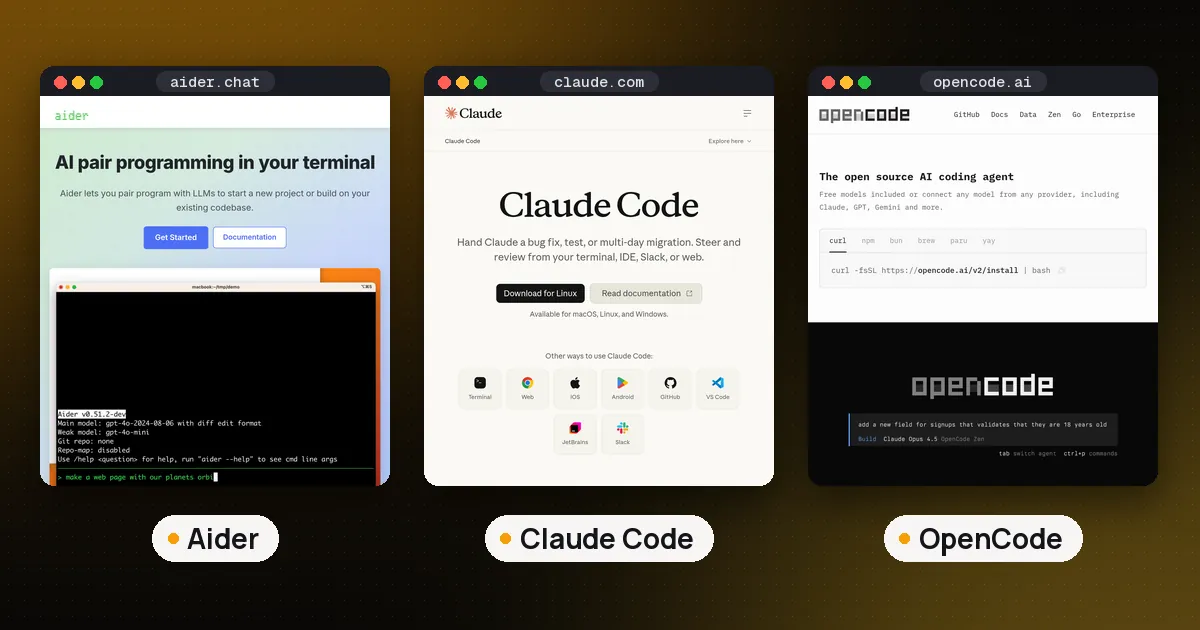
In the Aider vs Claude Code choice, pick Claude Code if you want an agent that explores your repository, runs commands and fixes its own mistakes with little steering, and you are fine paying for a Claude plan. Pick Aider if you want a free, Apache-2.0 pair programmer that works with almost any model (including local ones), commits every change to git, and only edits the files you hand it. Claude Code is the more capable and much more actively developed tool in 2026; Aider is the cheaper, more transparent and more controllable one, but its last PyPI release was in February 2026.
Both run in your terminal and both edit real files in a real repository. The difference is who drives. With Aider, you pick the files and approve each step, and git is the safety net. With Claude Code, the agent decides what to read and run, and a permission mode decides how often it stops to ask. Facts below come from the Aider documentation, the Claude Code docs and Claude's pricing page, checked on October 29, 2026.
Aider vs Claude Code at a glance
| Item | Aider | Claude Code |
|---|---|---|
| License | Open source, Apache-2.0 | Proprietary |
| Cost of the tool | Free | Needs Claude Pro, Max, Team or Enterprise, or API billing |
| Models | Most providers plus local models (Ollama, OpenAI compatible servers) | Claude models only, direct or through Amazon Bedrock, Google Cloud's Agent Platform or Microsoft Foundry |
| How it finds code | Repo map of symbols; you add the files to edit | Searches and reads files itself, runs shell commands |
| Safety net | Auto commit per change, /undo | Checkpoints with /rewind, permission modes |
| MCP servers | No built in support in 0.86.2 | Yes |
| Latest release (Oct 29, 2026) | 0.86.2, Feb 12, 2026 on PyPI | 2.1.312, Oct 27, 2026 on npm |
| Install | aider-install (Python) | Native installer or npm |
Spoken plainly: Aider is a free tool you point at a model of your choice, and Claude Code is a paid agent built around Anthropic's own models.
How Aider works
Aider calls itself AI pair programming in your terminal. You start it in a git repository, add the files you want changed with /add, and describe the change. The model replies with edits, Aider applies them, and then it commits.
Three features define it:
- The repo map. Aider sends the model a compact map of your repository: file names plus the key classes, functions and signatures in each one. The repo map docs say it ranks files with a graph of their dependencies and sends only the most relevant parts within a token budget set by
--map-tokens. The docs give 1k tokens as that default; in our test with an OpenAI model selected, the startup banner reported a repo map budget of 4,096 tokens, so check the banner for the model you use. - Git as the undo button. Per the git integration docs, Aider commits each edit with a descriptive message (Conventional Commits style, written by a cheaper "weak model"), commits any uncommitted work of yours first so the two never mix, and lets you reverse the last change with
/undo. One detail to know: it skips your git commit hooks by default (it commits with--no-verify) unless you pass--git-commit-verify. - Chat modes. The chat modes page lists code, ask, architect and help. A common workflow is to plan in
/ask, then switch to/codeand say "go ahead". Architect mode splits the job between two models: one proposes the change and an editor model turns the proposal into file edits.
Aider can also lint and test after each edit. With --test-cmd and --auto-test, it runs your test suite after every change and tries to fix failures, per the linting and testing docs. And with --watch-files, you can write instructions as code comments ending in AI! in your own editor, and Aider picks them up.
What Aider does not do is go exploring. It reads what is in the chat and the map, and it asks to add more files when it needs them. That makes it predictable, and it makes it slower on tasks where you don't already know which files matter.
How Claude Code works
Claude Code is Anthropic's coding agent for the terminal, IDEs, desktop and web. You give it a goal and it runs the full loop itself: search the code, read files, edit them, run the build and tests, read the output and try again. Our guide to what agentic coding is walks through that loop in detail.
Instead of git commits, Claude Code has two built in controls:
- Permission modes. The permission modes docs describe default (reads run freely, everything else asks), acceptEdits (file edits and common file commands run without asking), plan (explore and propose only), auto (everything runs, with background safety checks), dontAsk (only preapproved tools, for CI) and bypassPermissions (everything, for isolated containers only). The 2.1.312 CLI lists these as choices for
--permission-mode. - Checkpoints. Claude Code snapshots files before each turn, and
/rewindrestores them. The checkpointing docs are clear about the limits: files changed only by shell commands are not tracked, and checkpoints are no replacement for git.
Around that loop sits the deepest customization of any terminal agent we cover: CLAUDE.md project memory (see agent memory in Claude Code), skills, hooks, subagents, background agents, git worktrees with -w, and MCP servers.
Cost: free tool vs paid plan
Aider costs nothing. You pay your model provider at their rates, or nothing at all with a local model. Aider's model docs also point to free options such as OpenRouter's free models with daily limits, and warn that weaker models often fail to produce edits Aider can apply.
Claude Code is not in Claude's Free plan. Per Claude's pricing page on October 29, 2026, it comes with Pro ($20 a month, or $17 a month billed annually at $200 up front) and Max (from $100 a month), and with Team and Enterprise seats. You can also sign in with an Anthropic Console account and pay API rates. For teams on API billing, Anthropic's cost docs report an average of around $13 per developer per active day and $150 to $250 per developer per month across enterprise deployments, with 90% of users below $30 per active day. Your numbers will depend on how hard you push it.
One trap: if you use Claude models inside Aider, Aider connects with an Anthropic API key (ANTHROPIC_API_KEY), per its Anthropic setup page. That usage is billed as API usage, separate from a Pro or Max plan.
Model choice and running locally
This is Aider's clearest win. It works with OpenAI, Anthropic, Gemini, DeepSeek, xAI, Groq, OpenRouter, Amazon Bedrock and Vertex AI, plus local models through Ollama, LM Studio or any OpenAI compatible server. If you want to code against a model on your own machine, or switch models per task, Aider handles it with one --model flag.
Claude Code runs Claude models. Enterprises can route it through Amazon Bedrock, Google Cloud's Agent Platform or Microsoft Foundry, or through their own LLM gateway, but the model is still Claude. If model freedom matters to you and you still want an agent that explores on its own, look at OpenCode, which our best open source coding agents roundup covers. That makes the three way choice roughly this: Aider for controlled, git first edits with any model, OpenCode for an autonomous agent with any model, and Claude Code for the most polished autonomous agent on Claude.
Autonomy and safety
The tools take opposite approaches, and neither is wrong.
Aider keeps you in the loop by design. It only edits files you added, every change becomes a commit you can read with git log or reverse with /undo, and it doesn't wander off running commands. The cost is that you do the navigation work.
Claude Code is built to be left alone. In auto or acceptEdits mode it can make dozens of edits and run your test suite several times while you do something else. That is more output per minute of your attention, and more to review afterward. Start in the default or plan mode on an unfamiliar codebase, and keep committing to git yourself, since checkpoints don't cover shell side effects.
Tools, MCP and extensions
Claude Code connects to MCP servers, so one config gives it your issue tracker, database or browser. Aider 0.86.2 has no built in MCP client: its help lists no MCP option, and the MCP support request on GitHub is still open, alongside an open pull request to add it.
For project instructions, Claude Code reads CLAUDE.md files automatically (and AGENTS.md in some setups, covered in our AGENTS.md guide). Aider's conventions docs suggest a CONVENTIONS.md file loaded with aider --read CONVENTIONS.md, or listed under read: in .aider.conf.yml so it loads every time.
Both can be scripted. Aider takes --message to run one instruction and exit, per its scripting docs; Claude Code takes -p for a single print mode run, and dontAsk mode exists for locked down CI jobs.
Upkeep and release pace
Check this before you commit to Aider for a team. As of October 29, 2026, the newest Aider release on PyPI is 0.86.2, from February 12, 2026, and the last commit on the main branch of the GitHub repository is from May 22, 2026. The release history page lists unreleased main branch work (newer Claude, Gemini and GPT model settings) that is not on PyPI yet. Aider still works, and you can name newer models directly with --model, but new model aliases and fixes are slow to arrive.
Claude Code ships constantly: version 2.1.312 was published to npm on October 27, 2026. Fast releases mean new features and also more change to keep up with.
Which should you choose?
Choose Aider if you want a free tool, you want to use local or non Anthropic models, you like every AI change landing as a separate git commit, or you prefer to decide which files the model touches. It suits experienced developers who know their codebase and want a fast editor, not a colleague.
Choose Claude Code if you want the agent to find the right files, run the tests and iterate on its own, you want MCP, hooks, skills and subagents, and you already pay for Claude or can justify it. It suits larger tasks, unfamiliar codebases and anyone who wants to hand off work. For how it compares with OpenAI's and Google's agents, see Claude Code vs Codex vs Gemini CLI.
Use both if you have the budget: Claude Code for exploratory and multistep work, Aider with a cheap or local model for quick targeted edits where the git trail matters.
How to try each one
Aider, in a git repository:
python -m pip install aider-install
aider-install
cd your-project
aider --model sonnet --api-key anthropic=YOUR_KEY
The aider-chat 0.86.2 package needs Python 3.10 to 3.12, and aider-install sets up its own Python 3.12 if needed. On first run in our test repository, Aider also added .aider* to .gitignore.
Claude Code:
curl -fsSL https://claude.ai/install.sh | bash
cd your-project
claude
The setup docs list macOS 13 or later, Windows 10 1809 or later, or Ubuntu 20.04 or later, with 4 GB of RAM. Run /login on first start; without a login, a print mode run stops with "Not logged in".
FAQ
Is Aider better than Claude Code?
Not overall. Claude Code does more on its own and has more features. Aider is better if you care most about cost, model choice, local models or a git commit for every change.
Is Aider free?
Yes. Aider is open source under Apache-2.0 and costs nothing. You pay only for the model API you connect, or nothing with a local model through Ollama.
Can Aider use Claude models?
Yes. Set ANTHROPIC_API_KEY and pick a model such as --model sonnet. That bills your Anthropic API account, not a Claude Pro or Max plan.
Is Aider still maintained?
It still works, but updates have slowed. The newest PyPI release is 0.86.2 from February 12, 2026, and the last commit on main was May 22, 2026, as of October 29, 2026.
What is a good Claude Code alternative if I want any model?
OpenCode is the closest match: an autonomous terminal agent that works with many providers and local models. Aider is the other option if you prefer to pick the files yourself.
Does Aider support MCP?
Not in version 0.86.2. There is an open feature request and an open pull request for MCP support on GitHub. Claude Code supports MCP servers.