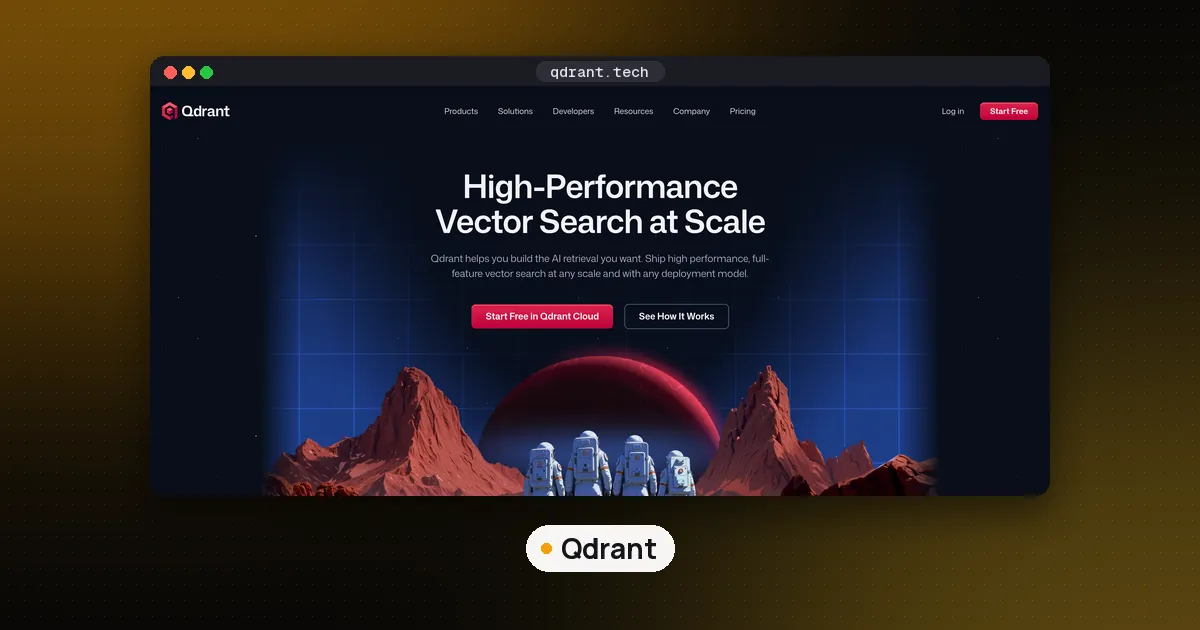
Qdrant is an open source vector database and similarity search engine, written in Rust and licensed under Apache 2.0, that stores vectors next to JSON payloads and filters on those payloads during the search. To use Qdrant vector database, start the server with Docker (or use the Python client's local mode for a quick test), create a collection with the vector size of your embedding model, upsert points that hold a vector plus a JSON payload, and call query_points with a query vector or a piece of text. For agents, add three things on top: a payload field that scopes every query to one user or project, BM25 keyword scoring next to the dense vector so exact names and error codes still match, and an MCP server or framework tool so the agent can read and write memories on its own. Since Qdrant 1.20, BM25 can run straight on a full text index over the text you already store, so you no longer need a second sparse vector for it.
This guide walks through those steps as an agent builder would use them, checked against the official Qdrant documentation and rechecked on October 28, 2026. The latest server release is Qdrant v1.20.0 (published October 22, 2026), the latest Python client is qdrant-client 1.20.0, which needs Python 3.10 or newer, and mcp-server-qdrant is still at 0.8.1. We ran every code block below against a Qdrant 1.20.0 server (the official Linux binary) with qdrant-client 1.20.0 on Python 3.13. If you are still choosing a database, our best open source vector database roundup ranks Qdrant against pgvector, Milvus, Chroma, LanceDB and Weaviate. More on the engine itself is on our Qdrant tool page, and the alternatives are in our vector databases directory. If you are still deciding whether you need a vector store or a full memory layer, read our AI agent memory comparison first. Mem0, one of the tools covered there, uses a local Qdrant store by default.
What a vector database does in RAG and agent memory
A vector database stores embeddings: lists of numbers that an embedding model produces from text, so that texts with similar meaning end up close together. In retrieval augmented generation (RAG), you embed your documents once, store them, and at question time you embed the question, fetch the closest chunks and paste them into the model's prompt. Agent memory is the same loop pointed at different data: facts the agent learned about a user, past decisions, or code snippets it wants to reuse. For a full pipeline built on this idea, see how to build a RAG pipeline with LangGraph.
Qdrant's vocabulary is short:
- Collection: a named set of points with a fixed vector configuration (size and distance metric).
- Point: one record, with an ID (an integer or a UUID), one or more vectors, and a payload, which is any JSON you want to keep alongside the vector.
- Payload index: an index on a payload field so filters such as "only this user" stay fast.
Step 1: Run Qdrant locally
The quickstart runs the official image and keeps data in a folder on your machine:
docker run -p 6333:6333 -p 6334:6334 \
  -v "$(pwd)/qdrant_storage:/qdrant/storage:z" \
  qdrant/qdrant
Port 6333 serves the REST API and a web dashboard at localhost:6333/dashboard; port 6334 is gRPC. Before you go further, note one thing from Qdrant's security docs: a self hosted instance has no authentication by default and listens on all network interfaces. On a laptop, publish the port as -p 127.0.0.1:6333:6333. On any server, set an API key with the QDRANT__SERVICE__API_KEY environment variable and put TLS in front of it, because the key is sent in a header.
If you don't want Docker yet, the Python client has a local mode that runs the same API in process: QdrantClient(":memory:") or QdrantClient(path="./db") to persist to disk. It's meant for prototypes, tests and CI: the client warns that most payload indexes have no effect there, so measure filter speed on a real server.
Step 2: Install the client with FastEmbed
pip install "qdrant-client[fastembed]"The fastembed extra lets the client turn text into vectors on your CPU with FastEmbed, Qdrant's ONNX based embedding library, so you can pass plain text instead of computing embeddings yourself. You can still bring vectors from any provider; Qdrant only cares that every vector in a field has the configured size.
Step 3: Create a collection for agent memory
This collection holds one dense vector per point for meaning (the small all-MiniLM-L6-v2 model, which is also the default in Qdrant's MCP server). Exact words are handled by a full text index on the text payload field with scoring=True, which turns on BM25 ranking, a feature added in Qdrant 1.20.
import uuid
from qdrant_client import QdrantClient, models

client = QdrantClient(url="http://localhost:6333")
DENSE = "sentence-transformers/all-MiniLM-L6-v2"

client.create_collection(
    collection_name="notes",
    vectors_config={
        "dense": models.VectorParams(
            size=client.get_embedding_size(DENSE),
            distance=models.Distance.COSINE,
        )
    },
)

client.create_payload_index(
    collection_name="notes",
    field_name="user_id",
    field_schema=models.KeywordIndexParams(
        type=models.KeywordIndexType.KEYWORD, is_tenant=True
    ),
)

client.create_payload_index(
    collection_name="notes",
    field_name="text",
    field_schema=models.TextIndexParams(
        type=models.TextIndexType.TEXT,
        stemmer=models.SnowballParams(
            type=models.Snowball.SNOWBALL,
            language=models.SnowballLanguage.ENGLISH,
        ),
        stopwords=models.Language.ENGLISH,
        scoring=True,
    ),
)
Create payload indexes right after the collection, before loading data. The indexing docs explain why: Qdrant's filter aware HNSW graph only gets its extra edges for fields that were indexed first, and adding an index later means rebuilding the vector index. The is_tenant=True flag tells Qdrant that user_id identifies a tenant, so it can store each tenant's data together. On the text index, the full text search docs recommend setting a stemmer and stopwords for your language, because the default index only splits words and lowercases them. If the collection already holds data, Qdrant builds the index from the stored payload text, so nothing has to be uploaded again.
On a server older than 1.20, or if you want a learned sparse model such as SPLADE, the older route still works: add a sparse vector with the IDF modifier and fill it with FastEmbed's Qdrant/bm25 model. Qdrant's docs include steps for moving from that sparse BM25 vector to the full text index without uploading your data again.
Step 4: Store memories as points
notes = [
    {"user_id": "u1", "text": "Deploys go out through GitHub Actions, never by hand."},
    {"user_id": "u1", "text": "The staging database is Postgres 16 on port 5433."},
    {"user_id": "u2", "text": "Prefers TypeScript examples over Python."},
]

client.upsert(
    collection_name="notes",
    points=[
        models.PointStruct(
            id=str(uuid.uuid4()),
            vector={"dense": models.Document(text=n["text"], model=DENSE)},
            payload=n,
        )
        for n in notes
    ],
)
Upsert means insert or overwrite by ID. Keep the original text in the payload (the agent needs the words, and the BM25 index reads them there) plus whatever you will filter on: user, project, a timestamp. For bulk loads, use upload_points.
Step 5: Query with a tenant filter and hybrid search
One query runs a dense search and a BM25 text search, fuses the rankings with Reciprocal Rank Fusion (RRF) and applies the user filter:
def recall(user_id: str, question: str, k: int = 3) -> list[str]:
    hits = client.query_points(
        collection_name="notes",
        prefetch=[
            models.Prefetch(query=models.Document(text=question, model=DENSE),
                            using="dense", limit=20),
            models.Prefetch(query=models.TextQuery(text=question),
                            using="text", limit=20),
        ],
        query=models.FusionQuery(fusion=models.Fusion.RRF),
        query_filter=models.Filter(must=[
            models.FieldCondition(key="user_id",
                                  match=models.MatchValue(value=user_id))
        ]),
        limit=k,
    ).points
    return [h.payload["text"] for h in hits]

print(recall("u1", "which port is staging postgres on?"))
In our run on Qdrant 1.20.0, the Postgres note came back first for user u1, and user u2's note never appeared. A BM25 only query for "postgres port" (query=models.TextQuery(text="postgres port") with using="text") returned just that one note, because a text query only returns points that contain at least one of the terms. Keyword matching matters for agents because they look up file names, ticket IDs and error strings. The hybrid queries docs also cover DBSF fusion, and BM25's k and b can be set per query without rebuilding the index.
The filter is your isolation boundary. Build it in your code from the authenticated session, never from text the model wrote, or one user's prompt could pull another user's memories.
One limit we hit: local mode (QdrantClient(":memory:")) refused the stemmed index with a NotImplementedError, since it only supports text queries with default tokenization. Drop the stemmer and stopwords lines for local tests (the example then returned the same order).
Searching code: the new code tokenizer
A coding agent's notes mix getUserName, get_user_name and "user name". Qdrant 1.20 adds a code tokenizer for full text indexes that splits identifiers into their parts. We indexed three snippets with tokenizer=models.TokenizerType.CODE and scoring=True; a text query for "user name" returned both the get_user_name and the getUserName functions and skipped delete_order. Use it on payload fields that hold code, file paths or error strings.
What changed in Qdrant 1.20 for agent builders
From the v1.20.0 release notes (October 22, 2026), the items that change how you build agent memory:
- BM25 on the full text index and the code tokenizer, both used above.
- Per element indexes: a
nestedparameter scores each object in an array (each passage or review) on its own. - Substring filter: finds text inside a field, but as a full scan.
- Internal auth on by default between cluster nodes once an API key is set.
Upgrade the client to 1.20 too; TextQuery is part of the 1.20 Python client.
Step 6: Give the agent the tools
You have a few common ways to connect Qdrant to an agent.
As an MCP server
Qdrant maintains mcp-server-qdrant (version 0.8.1 on PyPI), which exposes two tools: qdrant-store and qdrant-find. It is configured with environment variables (QDRANT_URL or QDRANT_LOCAL_PATH, COLLECTION_NAME, EMBEDDING_MODEL) and only supports FastEmbed models for now. To add it to Claude Code:
claude mcp add qdrant-memory \
  -e QDRANT_URL="http://localhost:6333" \
  -e COLLECTION_NAME="agent-notes" \
  -- uvx mcp-server-qdrant
It runs over stdio by default; --transport streamable-http or sse serves remote clients. Set QDRANT_READ_ONLY=true to drop the store tool when an agent should only search. To write your own server with tenant filters baked in, follow our MCP server in Python guide; what is MCP covers the protocol itself.
As a framework tool or workflow node
In Python frameworks, wrap recall (and a matching remember) as a function tool; LangChain users get QdrantVectorStore from langchain-qdrant. Without code, n8n has a Qdrant Vector Store node that plugs into an AI Agent node.
Step 7: Move to production
- Qdrant Cloud: the pricing page lists a free forever single node cluster with 0.5 vCPU, 1 GB RAM and 4 GB disk for testing and prototypes, then usage based paid tiers. Cloud clusters have API key authentication on by default.
- Self hosted: set an admin key, and give query only services the read only key (
QDRANT__SERVICE__READ_ONLY_API_KEY). For per collection rights, Qdrant supports JWT based granular keys. Bind to a private interface and enable TLS. - Keep filters indexed: strict mode, on by default for Qdrant Cloud collections per the indexing docs, can reject filters on unindexed fields.
How Qdrant compares for a first project
Chroma, Pinecone and Milvus follow the same pattern: collections, upserts of vectors with metadata, and filtered similarity queries. Qdrant's strengths for agent work are payload filtering, dense plus BM25 hybrid search in one query, and an official MCP server. For closer looks, read LanceDB vs Qdrant (embedded library versus server) and our Weaviate explainer, which runs the same per user memory pattern.
FAQ
What is Qdrant?
Qdrant is an open source vector database and search engine written in Rust, under the Apache 2.0 license. It stores points (vectors plus JSON payloads), filters on payload fields during the search, and supports dense, sparse and BM25 keyword search. Teams use it for RAG, semantic search, recommendations and long term memory for AI agents, self hosted or on Qdrant Cloud.
Is Qdrant free to use?
Yes. The open source engine is Apache 2.0 and free to self host. Qdrant Cloud also has a free tier (one node with 0.5 vCPU, 1 GB RAM and 4 GB disk). Paid Cloud tiers are billed on the compute, memory and storage you use.
What is a vector database in RAG?
It's the store that holds embeddings of your documents. At question time the app embeds the question, asks the vector database for the closest chunks, and adds them to the model's prompt so the answer is grounded in your data.
How do I use a vector database with an LLM?
Embed and store your content, then retrieve the top matches for each user question and pass them to the model as context. For agents, expose search as a tool so the model decides when to look something up, and filter every query by user or project in your own code.
Does Qdrant support BM25 keyword search?
Yes. Since v1.20.0 you can create a full text payload index with scoring enabled and send a text query, and Qdrant ranks matches with BM25. Before 1.20, BM25 meant a sparse vector filled by the Qdrant/bm25 FastEmbed model, which still works.
Can Claude Code or Cursor use Qdrant?
Yes, through the official mcp-server-qdrant. Add it with claude mcp add in Claude Code or as an MCP server in Cursor's settings; the agent then gets qdrant-store and qdrant-find tools. No Docker? The Python client's local mode also works for quick tests.