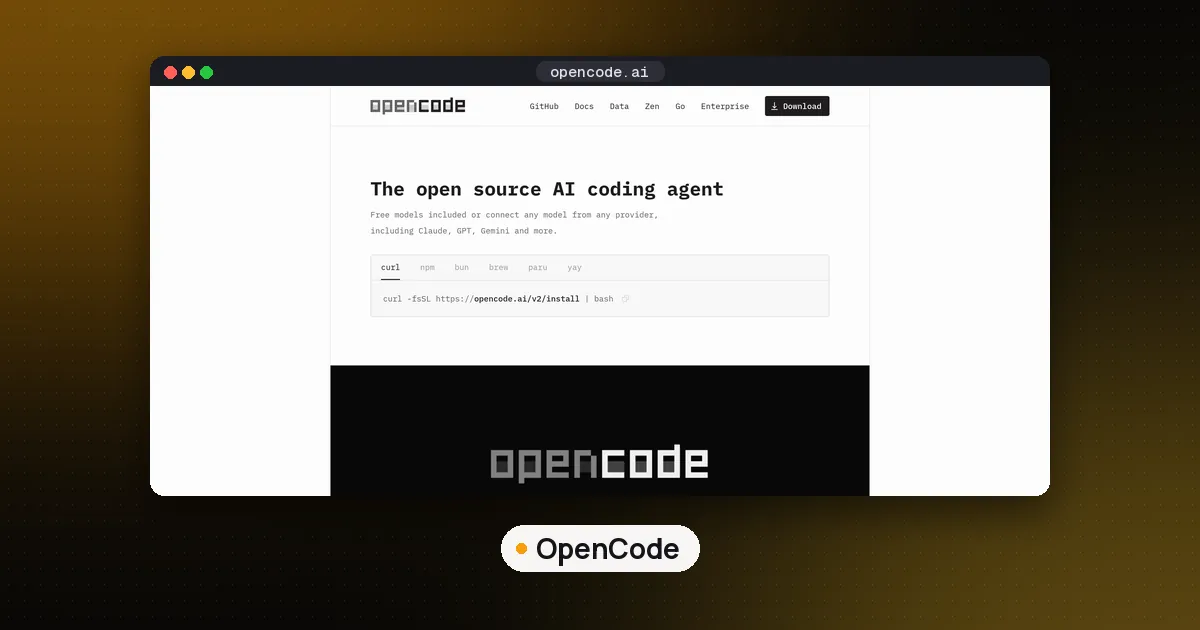
OpenCode 2.0 is a major rewrite of the open source coding agent, not a routine point release. The four changes that matter most: one shared background service that every OpenCode window talks to, Code Mode switched on for every MCP server, subagents and shell commands that can run in the background, and a rebuilt plugin and server API. Your existing opencode.json should keep working, but V1 plugins and V1 server API integrations will not.
If you just want to upgrade, get on the latest 1.x release and run opencode upgrade --major. Before you do, read the sandbox section below, because 2.0 changes where tool calls actually run. Everything here was checked against the official announcement, the V2 documentation and the npm registry on October 15, 2026 and rechecked on October 21 against the OpenCode changelog.
OpenCode 2.0 at a glance
Anomaly, the team behind OpenCode, announced 2.0 in a post dated October 12, 2026, and it reached the Hacker News front page on October 14. The 2.0 command line package, @opencode/cli on npm, first published version 2.0.0 on September 11, 2026, and was at 2.0.29 as of October 14. The 2.1 line followed on October 20, and 2.1.2 shipped on October 21. The project's GitHub repository is MIT licensed and has more than 210,000 stars.
One detail trips people up: most of the old install paths still give you version 1. The classic opencode-ai npm package, the anomalyco/tap/opencode Homebrew formula and the default opencode.ai/install script all point at 1.x (1.19.3, released October 16, is the latest). Since 1.19.2 that installer refuses to install a 2.x version. The exception is Homebrew's own core formula: plain brew install opencode now installs OpenCode 2 (2.1.2 on October 21). Version 2 has its own installer and package names, listed in the upgrade steps below.
| Area | OpenCode 1.x | OpenCode 2.0 |
|---|---|---|
| Process model | Client/server design existed but wasn't used by default | One shared background service per user account by default |
| MCP tools | Not routed through Code Mode by default | Wrapped in Code Mode by default |
| Subagents | Foreground, via the task tool | Foreground or background, can use a different model |
| Config | permission, agent, mcp, layered tui.json | permissions array, agents, mcp.servers, one global cli.json |
| Plugins | 1.0 plugin API | New plugin API; 1.0 plugins don't run |
| Programmatic use | V1 server API | New server API, @opencode/client, embeddable @opencode/sdk |
In plain words: 2.0 moves the work into a background service, makes MCP cheaper on context, lets the agent delegate work while you keep typing, and renames a lot of config.
What's new in OpenCode 2.0
One background service for every client
OpenCode always used a client and server design, but most people never noticed. In 2.0, the CLI docs say OpenCode discovers or starts one shared background server for your user account. The terminal interface, the web interface and the desktop app all connect to it, and that service owns sessions, configuration, integrations, permissions and tool execution.
You keep control. opencode --standalone runs with a private server, opencode --server <url> connects to a specific one, and opencode service set disabled true makes private servers the default. opencode pair opens the web interface with a local URL, username and password. opencode run "your prompt" is the noninteractive mode for scripts and CI, and opencode mini is a smaller interactive interface.
Code Mode on by default for MCP
This is the change most relevant to anyone running many tools. Per the announcement, a small JavaScript interpreter in the @opencode/codemode package turns MCP servers, or OpenAPI endpoints, into functions the agent calls from a script. The agent can call one tool, map over the results and call another in a single round trip instead of one call at a time.
Every MCP server is opted into Code Mode by default. The MCP server docs add a per server codemode field: set it to false when a server's tools must stay on the model's native tool list. Per the tools reference, the script runtime has no direct filesystem access, imports, timers or fetch. It can only call tools in its catalog, and each nested tool still checks its own permissions. If the idea is new to you, our Code Mode MCP explainer covers why scripts beat one-call-at-a-time tool use on context and latency.
Two smaller MCP changes: servers now live under mcp.servers, and a protocol field lets a server opt into the 2026-07-28 revision of the Model Context Protocol (the default stays the classic handshake). Adding a server is still one command, such as opencode mcp add context7 --url https://mcp.context7.com/mcp. If you build your own, see how to build an MCP server in Python.
Background subagents and shell commands
The primary agent can now hand work to a subagent in the background and keep going. You can trigger this yourself, even with a different model, for example asking a background subagent to review code while you continue prompting. The agents docs list four visible built in agents: Build and Plan as primary agents, and General and Explore as subagents. The V1 Scout subagent is gone, and the default nesting depth is one level.
Shell commands can also run in the background, which suits dev servers and long test runs. A background call returns at once and notifies the session when it finishes. If a foreground command or subagent runs long, a hotkey moves it to the background.
Plugins, the SDK and the new client
The team says it built nearly every 2.0 feature as an internal plugin, more than 80 of them, to keep the plugin API honest. Terminal interface plugins are now stable, and plugins hot reload, so OpenCode can write a plugin for itself mid session and use it. New CLI commands (opencode plugin add, list, check, update, remove) manage package plugins from npm or Git.
For developers, @opencode/client is the new client for the rebuilt server API. @opencode/sdk goes further: the SDK docs describe it as hosting OpenCode directly inside your application, with no HTTP listener, and there's a Cloudflare Durable Objects guide. The announcement notes the SDK is still in development, so treat it as early.
What changed in OpenCode 2.1
Version 2.1.0 arrived on October 20, 2026. Per the changelog, the visible additions are persistent terminals on Windows (matching macOS and Linux), an experimental todo list you switch on with "experimental": { "todo": true }, and TUI commands, plugin commands and shell calls that keep running past Bun's five minute fetch deadline instead of dropping the connection.
The part that matters for integrations is a set of intentional breaking changes to the public SDK, the HTTP message and event contracts, and the plugin contracts:
- Provider replay data now uses one name,
native, everywhere. Fields that were calledstate,providerStateorresultStateon parts, messages and events moved tonative, and tool parts carry one mergedtool.nativeinstead of separate call and result fields. - Key credentials put setup answers in
metadata;Credential.Key.configurationis gone from public writes. - Summary compactions point at the first kept message through
metadata.keepIDinstead of storing a flattenedrecentcopy, and the transitionalsession.compactedevent was removed.
Stored sessions, credentials and older imports stay readable through compatibility decoders, so no database migration is needed. Retest 2.0 plugins and clients on 2.1 before upgrading a team. Version 2.1.2 added OPENCODE_DISABLE_FREE_MODELS to hide zero cost models.
OpenCode 2 vs 1: what breaks
The V1 migration guide lists three intentional breaking changes:
- Plugins use a new API. V1 plugin code does not run in 2.0; renaming a file isn't enough.
- The server API and its clients have new contracts, so scripts built on the old API must be ported.
- Terminal settings move from layered
tui.jsonfiles to one global~/.config/opencode/cli.json, migrated automatically on first start.
Everything else is meant to stay compatible. 2.0 reads your existing config from the same locations and normalizes V1 fields in memory without rewriting the file. Converting to native V2 syntax is optional. The renames you'll meet:
permissionbecomes an orderedpermissionsarray of action, resource and effect rules, where the last match wins.bashis nowshell,taskis nowsubagent, andwriteandpatchfold intoedit.agentandmodebecomeagents; inside an agent,promptbecomessystemand the variant joins the model asprovider/model#variant.providerbecomesproviders,commandbecomescommands, and MCP'senabledflips todisabled.
Three behavior changes are easy to miss. 2.0 keeps your lsp settings but does not run language servers or produce LSP diagnostics, so lean on your linter, type checker or compiler instead. It only discovers AGENTS.md, not a CLAUDE.md fallback, so move that guidance (our AGENTS.md guide explains the format). Skills keep working from .opencode/skills/, as covered in our Agent Skills guide.
How to install or upgrade to OpenCode 2.0
- Back up your setup. Copy
~/.config/opencode/and any project.opencode/folders. V1 and V2 share config locations, so don't point V1 at files after you convert them to V2 only syntax. - Upgrade in place, or install fresh. From the latest 1.x, run
opencode upgrade --major. For a fresh install, the V2 docs listcurl -fsSL https://opencode.ai/v2/install | bash,brew install anomalyco/tap/opencode-v2, ornpm install -g @opencode/cli. Homebrew's corebrew install opencodealso lands on 2.x now. If you installed V1 with a package manager, remove it first: both versions use theopencodecommand and don't install side by side by default. - Check Windows and mise. V2 offers standalone Windows binaries, but Windows package managers aren't supported. mise needs version 2026.10.9 or later, or it installs version 1.
- Start it and verify. Open a project and check models, provider logins, agents, permissions and MCP servers (
opencode mcp list). - Port plugins and API scripts. These are the parts that won't carry over. Target the 2.1 contracts (the
nativefields above), not the 2.0 ones. - Optionally convert your config. The docs suggest asking OpenCode itself to migrate your configuration to the native V2 format while preserving behavior.
Check your sandbox before you trust the upgrade
This is the step most upgrade writeups skip. Because the shared service now owns tool execution, a sandbox wrapped around the terminal process no longer contains the tools. Shell, web fetches and file edits run in the background service, which may have started outside your wrapper. One commenter on the Hacker News thread said exactly this happened to them.
Out of the box, OpenCode's permissions give every agent an allow everything base policy, then ask before touching directories outside the workspace or reading .env files. The shell tool runs with your user's filesystem, process and network access. So:
- Run the whole thing, service included, inside the container or VM, or start the client with
--standaloneinside your sandbox so it doesn't attach to a service running outside it. - Add
askordenyrules for risky commands, for example asking beforegit push. - Test it: ask the agent to fetch a URL or touch a path your sandbox should block, and confirm it fails.
For disposable cloud environments instead of local containers, compare options in E2B vs Daytona vs Modal.
Who should upgrade now, and who should wait
Upgrade now if you use OpenCode interactively with a standard config and a few MCP servers. You get Code Mode, background work and one service shared by the terminal, desktop and web clients, with little migration effort.
Wait or test on a spare machine if you depend on custom V1 plugins, scripts that call the old server API, LSP diagnostics inside the agent, or a sandbox wrapped around the terminal client. Port and test those first.
Comparing tools instead? Our best open source coding agents roundup and our guide to Pi coding agent alternatives place OpenCode next to Cline, Aider, Codex CLI and Claude Code.
FAQ
When was OpenCode 2.0 released?
The announcement post is dated October 12, 2026. The @opencode/cli npm package first published version 2.0.0 on September 11, 2026, and shipped regular updates afterward, reaching 2.0.29 on October 14. Version 2.1.0 followed on October 20, 2026, with renamed SDK and plugin fields.
Will my OpenCode 1 config still work in 2.0?
Mostly, yes. 2.0 reads the same config files and translates supported V1 fields in memory. Plugins, server API integrations and tui.json settings are the exceptions, and a few legacy fields are ignored with a warning.
Does OpenCode 2.0 still support LSP?
Not as a running feature. 2.0 accepts and keeps your lsp configuration, but it doesn't start language servers, expose LSP tools or produce LSP diagnostics. Use your project's lint, type check or build commands instead.
Is OpenCode 2.0 free?
The software is open source under the MIT license, so you can use it free with your own model provider keys. You pay your provider for usage. OpenCode also sells optional model access, including OpenCode Go, which its docs list at $10 a month.
Can I run OpenCode 1 and 2 side by side?
Not by default. Both use the opencode command, and the V2 curl installer replaces the V1 binary. Keep a backup of your V1 config until you've confirmed 2.0 does what you need.
How do I turn off Code Mode for one MCP server?
Set "codemode": false on that server's entry under mcp.servers in opencode.json. Its tools then appear directly on the model's tool list instead of through Code Mode.