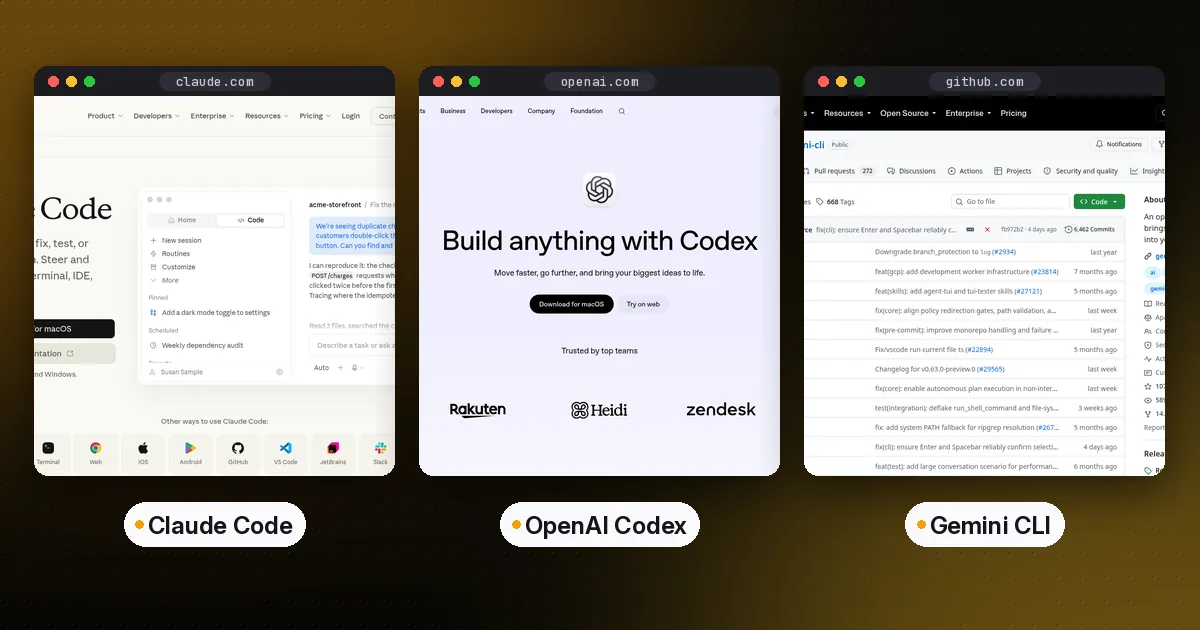
In the Claude Code vs Codex decision, pick Claude Code if you want the deepest customization and already pay for Claude, Codex if you already pay for ChatGPT or want an open-source CLI with cloud tasks, and Gemini CLI if you want an open-source agent with a very large context window and already pay for Gemini through an API key or Google Cloud. Gemini CLI no longer has a free tier for individuals: since June 18, 2026, it hasn't served free, Google AI Pro or Ultra accounts, and Google points those users to its successor, Antigravity CLI. All three read your repository, edit files across the project, run shell commands with your approval, and connect to MCP servers. They differ mainly in pricing model, openness and ecosystem, not in the basic loop.
This comparison looks at the tools themselves: installation, licensing, configuration, MCP, automation and billing. It deliberately doesn't rank the underlying models. Model quality changes with every release and depends on your codebase, so test all three on a real task before committing. Facts below come from each vendor's documentation as of October 5, 2026, with Gemini CLI access rechecked on October 6, 2026.
Claude Code vs Codex vs Gemini CLI at a glance
| Item | Claude Code | OpenAI Codex | Gemini CLI |
|---|---|---|---|
| Maker | Anthropic | OpenAI | |
| CLI license | Proprietary | Open source (Apache-2.0) | Open source (Apache-2.0) |
| Cheapest way in | Claude Pro, $20/mo ($17/mo billed annually) | Included in ChatGPT Free | Paid Gemini API key (no free tier since June 18, 2026) |
| Paid tiers | Max from $100/mo; Team; Enterprise; or API billing | Go $8, Plus $20, Pro from $100/mo; Business, Enterprise | Gemini API or Agent Platform keys; Code Assist Standard or Enterprise |
| Instruction file | CLAUDE.md (reads AGENTS.md if none) | AGENTS.md | GEMINI.md (configurable) |
| Add an MCP server | claude mcp add | codex mcp add | mcpServers in settings.json |
| Other surfaces | IDE, desktop, web, mobile, Slack | IDE, desktop, web (cloud), iOS | IDE integration, GitHub Action |
| Headless / CI | claude -p, GitHub Actions | codex exec, SDK | Non-interactive mode, GitHub Action |
In short: Claude Code is the closed but most extensible option, Codex is open source and bundled into every ChatGPT plan, and Gemini CLI is open source but now serves only paid API users and Google Cloud license holders.
Claude Code
Claude Code is Anthropic's agentic coding tool. According to its overview docs, the same engine runs in the terminal, in VS Code and JetBrains extensions, in a desktop app, on the web at claude.ai/code and in the mobile apps, all sharing your CLAUDE.md files, settings and MCP servers.
Install: curl -fsSL https://claude.ai/install.sh | bash on macOS, Linux or WSL, brew install --cask claude-code, or winget install Anthropic.ClaudeCode on Windows. The npm package still exists, but Anthropic marks npm installation as deprecated.
What stands out:
- Customization depth. CLAUDE.md files at user, project and local scope; path-scoped rules in
.claude/rules/; skills for repeatable workflows; and hooks that run shell commands before or after actions, such as auto-formatting after every edit. - Subagents and parallel work. A lead agent can split work across sub-agents, and background sessions run in parallel.
- Automation.
claude -ptakes piped input in scripts, there are GitHub Actions and GitLab CI integrations, and Routines run on a schedule in the cloud. - Agent SDK. The same tool loop is available as an SDK for building your own agents.
Pricing: Claude Code is included in Claude Pro ($20 a month, or $17 a month billed annually) and Max (from $100 a month), per Claude's pricing page. Team and Enterprise seats and pay-as-you-go API billing through an Anthropic Console account are also options. The CLI and the VS Code and JetBrains extensions can also run against third-party providers.
Limitations: The CLI isn't open source. It runs Anthropic's models, unless you route through a supported cloud provider, which still serves Claude models.
OpenAI Codex
OpenAI Codex covers several surfaces: the open-source Codex CLI, an IDE extension for VS Code, Cursor and Windsurf, a desktop app, and Codex cloud at chatgpt.com/codex, which runs tasks in OpenAI-hosted environments.
Install: curl -fsSL https://chatgpt.com/codex/install.sh | sh, npm install -g @openai/codex, or brew install --cask codex. Run codex and sign in with ChatGPT or an API key.
What stands out:
- Open source. The CLI is Apache-2.0 licensed on GitHub, so you can read the code, file issues and audit what runs on your machine.
- AGENTS.md native. Codex builds an instruction chain from a global
~/.codex/AGENTS.mddown to your working directory, with override files and a 32 KiB default cap. - Built-in review.
/reviewchecks uncommitted changes, a commit or a branch without modifying your tree, and Codex can review pull requests on GitHub. - Cloud delegation.
codex cloudhands work to a cloud environment and brings the result back to your local repository. - Sandboxing and permissions.
/permissionssets when Codex may edit files or run commands without asking.
Pricing: Per the Codex pricing page, Codex is included in ChatGPT Free, Go ($8 a month), Plus ($20), Pro (plans at $100, $200 or $500 a month), Business, Edu and Enterprise. The tiers are not equal: the Free and Go plan cards mention the desktop app, while the Plus card lists Codex on the web, in the CLI, in the IDE extension and on iOS, plus cloud integrations such as automatic code review. Usage is metered in five-hour windows that vary by model, and you can buy extra credits. API-key use is billed at API rates and has no cloud features.
Limitations: Usage limits are the most complex of the three. They depend on model, task size and local versus cloud work, so watch the usage dashboard or /status in the CLI.
Gemini CLI
Gemini CLI is Google's open-source terminal agent, licensed Apache-2.0.
Access change: Google announced in May 2026 that on June 18, 2026, Gemini CLI would stop serving requests for Google AI Pro and Ultra subscribers and for people using it free of charge through Gemini Code Assist for individuals. The Gemini CLI team confirmed on June 18 that requests for individual accounts had stopped, while Code Assist license holders and API key users are unaffected. Google points affected users to Antigravity CLI, its new terminal agent. It is built in Go, keeps Agent Skills, hooks, subagents and extensions (now plugins), and imports your Gemini CLI skills, MCP servers and GEMINI.md files when you install it.
Install: npx @google/gemini-cli to try it without installing, npm install -g @google/gemini-cli, or brew install gemini-cli. Stable releases ship weekly, with preview and nightly channels.
What stands out:
- Who can still use it. Organizations with a Gemini Code Assist Standard or Enterprise license, and anyone with a paid Gemini API key or a Gemini Enterprise Agent Platform (formerly Vertex AI) API key. Personal Google account sign-in no longer works, although the project README still lists the old free tier.
- Large context. Google advertises Gemini 3 models with a 1 million token context window, useful for asking questions about very large codebases.
- Built-in Google Search grounding and web fetching, alongside file and shell tools.
- Checkpointing to save and resume sessions, and GEMINI.md context files. Set
context.fileNameto make it read AGENTS.md. - GitHub Action for pull request review and issue triage.
Pricing: There is no free tier for individuals any more. You pay through a paid Gemini API key, Gemini Enterprise Agent Platform or a Gemini Code Assist Standard or Enterprise license. See Google's pricing pages for current rates.
Limitations: It is tied to Gemini models. Its plugin and automation ecosystem is younger than Claude Code's, and enterprise controls come through Google Cloud rather than the CLI itself.
Setting up MCP in each tool
All three speak the Model Context Protocol, so one MCP server works everywhere. Only the registration step differs.
# Claude Code
claude mcp add notes -- uv run --with "mcp[cli]" mcp run /abs/path/server.py

# Codex (stored in ~/.codex/config.toml, or .codex/config.toml per project)
codex mcp add notes -- uv run --with "mcp[cli]" mcp run /abs/path/server.py
For Gemini CLI, add an mcpServers entry to settings.json with the same command and args. To build the server itself, follow our MCP server in Python tutorial.
Instruction files: CLAUDE.md, AGENTS.md and GEMINI.md
If more than one agent works in your repository, keep one AGENTS.md as the source of truth. Codex reads it natively. Claude Code reads it when no CLAUDE.md exists, or always if you change its Project instructions setting. Gemini CLI reads it once you set the context file name. Our AGENTS.md guide covers the exact loading rules and a template.
Which should you choose?
Choose Claude Code if you want the most configurable agent (hooks, skills, subagents, scoped rules), you work across terminal, IDE and web, and you already have or are happy to buy a Claude plan.
Choose Codex if your team already pays for ChatGPT, you want an open-source CLI you can audit, or you want cloud tasks and GitHub review in the same subscription.
Choose Gemini CLI if you already pay for Gemini API access or hold a Code Assist Standard or Enterprise license, you need a very large context window for big codebases, or you are invested in Google Cloud. If you used it on a free, Google AI Pro or Ultra account, Google now points you to Antigravity CLI.
Prefer an editor? If you'd rather review diffs in an IDE than a terminal, Cursor and GitHub Copilot are the editor-first alternatives, and both support MCP.
Many developers run two of these: one as a daily driver and another for a second opinion or a different pricing pool. Since they share MCP servers and can share one AGENTS.md, switching costs little.
Pros and cons summary
Claude Code. Pros: richest customization, many surfaces, strong automation story. Cons: closed source, no free tier for Claude Code itself.
Codex. Pros: open-source CLI, included in every ChatGPT plan, built-in review and cloud tasks. Cons: limits are complex and the cheapest tiers have fewer surfaces.
Gemini CLI. Pros: open source, large context, Search grounding. Cons: Gemini-only, younger ecosystem, no free or Google AI Pro and Ultra access since June 18, 2026.
Related guides: if you prefer open-source tools, see the best open-source coding agents. To run agents in the cloud instead of on your laptop, compare E2B vs Daytona vs Modal.
FAQ
Is Codex better than Claude Code?
Neither is better for everyone. Codex suits ChatGPT subscribers and teams that want an open-source CLI with cloud tasks. Claude Code suits developers who want deep customization through hooks, skills and subagents. The underlying models change often, so try both on the same real task in your own repository.
Is Gemini CLI free?
Not any more for individuals. Since June 18, 2026, Gemini CLI no longer serves free accounts or Google AI Pro and Ultra subscribers, per Google's announcement. It still works with paid Gemini API keys, Gemini Enterprise Agent Platform keys and Code Assist Standard or Enterprise licenses. Google points individual users to Antigravity CLI instead. The Gemini CLI code itself is still Apache-2.0.
Can I use Claude Code without a subscription?
Yes. You can sign in with an Anthropic Console account and pay API rates, or use a supported third-party cloud provider. Claude's Free plan doesn't include Claude Code; every paid plan does.
Is OpenAI Codex open source?
The Codex CLI is open source under the Apache-2.0 license. Codex cloud, the hosted environment behind chatgpt.com/codex, is a service, not open-source software.
Do Claude Code, Codex and Gemini CLI all support MCP?
Yes. All three can connect to local stdio MCP servers and remote HTTP servers. Claude Code and Codex use an mcp add command, and Gemini CLI uses an mcpServers block in its settings file.
Can these tools use the same project instructions?
Yes. Keep an AGENTS.md at the repository root. Codex reads it by default, Claude Code reads it if there's no CLAUDE.md (or imports it with @AGENTS.md), and Gemini CLI reads it after you set context.fileName.