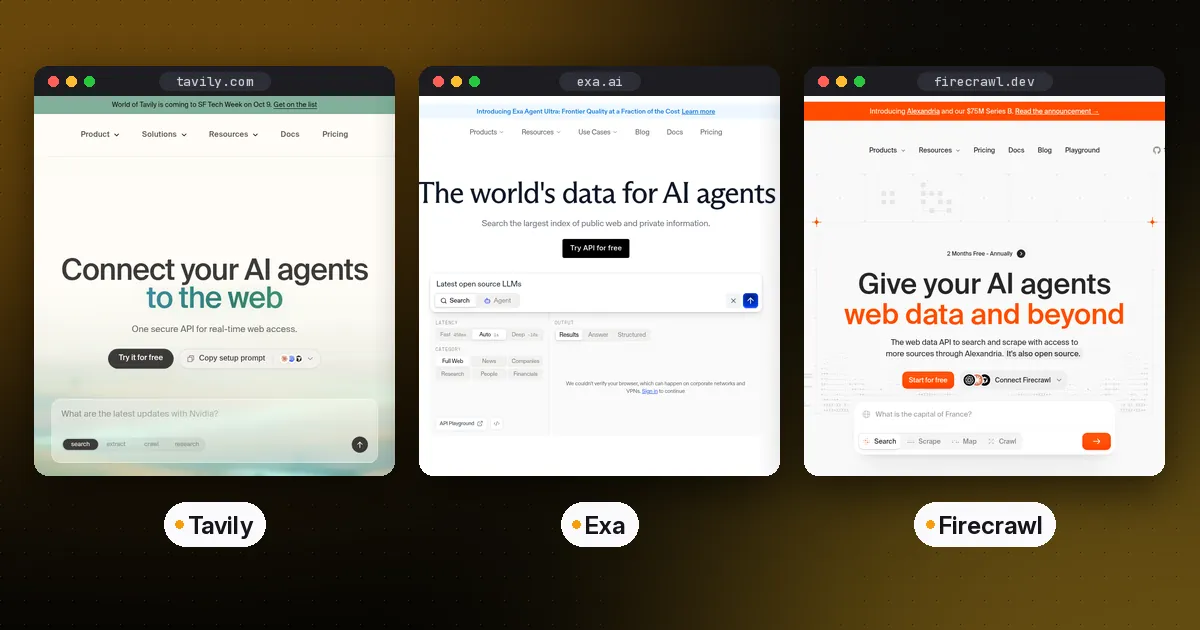
In the Tavily vs Exa choice, Tavily is the quickest way to give an agent web search that returns clean, ready-to-use snippets, with a generous free tier and simple credit pricing. Exa is a search engine built for AI from the ground up, and it shines when your agent needs to find specific kinds of pages, such as companies, papers or code, by meaning rather than keywords. Firecrawl is mainly a scraping and crawling tool. It turns any URL or whole site into clean markdown, and it also has a search endpoint.
Many production agents use two of them together: a search API to find pages and Firecrawl to read them in full. All three offer Python and JavaScript SDKs and hosted MCP servers, so they plug into coding agents and agent frameworks with little work. Details below reflect each vendor's documentation as of October 5, 2026. The code was checked against tavily-python 0.8.4, exa-py 2.25.0 and firecrawl-py 4.46.2.
Tavily vs Exa vs Firecrawl at a glance
| Item | Tavily | Exa | Firecrawl |
|---|---|---|---|
| Core job | Search with answer-ready results | Neural search built for AI | Scrape, crawl and extract web pages |
| Other endpoints | Extract, map, crawl, research | Contents, Deep Search, Agent API | Search, map, interact, agent |
| Output | Ranked results with content snippets, optional answer | Results with text, highlights or summaries | Markdown, HTML, JSON, screenshots |
| Open source | No | No | Core is AGPL-3.0; SDKs are MIT |
| Hosted MCP | Yes | Yes | Yes |
| Free usage | 1,000 credits a month | Free credits for new accounts | Free plan with starter credits |
In short: Tavily is the simplest general-purpose search tool for agents. Exa gives you more control over what kind of results come back. Firecrawl is the best choice when you need the full content of pages or entire sites, and you can self-host its core.
Why agents need a dedicated search API
A model's knowledge stops at its training cutoff, and agents often need current facts, documentation or prices. Regular search engine APIs return links and short snippets meant for humans. Your agent then has to fetch each page, strip out navigation and ads, and fit the useful parts into its context window. Search APIs built for agents do that work for you. They return relevant text in one call, with options for domain filters, date ranges and content length. That saves tokens, reduces latency and means fewer custom scrapers to maintain.
Tavily: answer-ready search for agents
Tavily is designed as the search step in an agent loop. One call returns ranked results with relevant content, and you can ask it for a short answer, full page content in markdown, or results limited to news or finance topics. Beyond search, Tavily has endpoints to extract content from URLs, map a site's structure, crawl a site and run multi-step research.
from tavily import TavilyClient

client = TavilyClient(api_key="tvly-YOUR_KEY")
response = client.search(
    "Model Context Protocol latest specification changes",
    search_depth="advanced",
    max_results=5,
)
for result in response["results"]:
    print(result["title"], result["url"])
Pricing is credit-based and published on Tavily's pricing page. The free plan includes 1,000 credits a month with no credit card. A basic search costs 1 credit and an advanced search costs 2. Extraction costs 1 credit per 5 URLs at basic depth, or 2 at advanced depth. Pay-as-you-go credits are $0.008 each, and monthly plans start at $30 for 4,000 credits, scaling to $500 for 100,000 credits. For coding agents, Tavily runs a remote MCP server at https://mcp.tavily.com/mcp/. In Claude Code you can add it with claude mcp add tavily-remote-mcp --transport http https://mcp.tavily.com/mcp/.
Pros: very easy to start, a free tier big enough for prototypes, clear per-call pricing, and search, extraction and crawling under one key.
Cons: less control over the underlying index than Exa, and heavy crawling jobs are better served by a dedicated scraper.
Who it's for: most teams adding web search to an agent or chatbot for the first time, and research agents that need current facts with sources.
Exa: search that understands meaning
Exa runs its own search engine, built to be queried by AI rather than people. Instead of matching keywords, you describe the page you want, and Exa finds pages that match that meaning. You can filter by category, such as companies, research papers or news, and by domain and published date, then get back full text, highlights or summaries in the same call. Deep Search runs multi-step searches for harder questions, and the Agent API handles longer research tasks.
from exa_py import Exa

exa = Exa(api_key="YOUR_EXA_KEY")
response = exa.search(
    "open-source sandboxes for running AI agent code",
    num_results=5,
    contents={"text": True},
)
for result in response.results:
    print(result.title, result.url)
Install the SDK with pip install exa-py or npm install exa-js. Exa hosts an MCP server at https://mcp.exa.ai/mcp, so you can add web search to MCP clients without writing code. New accounts get free credits. See Exa's pricing page for current per-request rates, which vary by endpoint and content options.
Pros: finds pages by meaning, category filters suited to lead generation and research, full content in the same call, and a deep search mode for multi-step questions.
Cons: more options to learn than Tavily. Pricing depends on the endpoint and content options, so estimate costs per use case.
Who it's for: research and enrichment agents, recruiting and sales tools that look for companies or people, and anyone who needs results that keyword search misses.
Firecrawl: turn any site into clean data
Firecrawl solves the reading side of web access. Give it a URL and it returns clean markdown, handling JavaScript rendering, PDFs and common anti-bot measures. Crawl follows links across a whole site, map lists a site's URLs, and extract pulls structured JSON using a schema. Interact drives a real browser for pages that need clicks or logins, and an agent endpoint gathers data from a prompt.
from firecrawl import Firecrawl

app = Firecrawl(api_key="fc-YOUR_KEY")
doc = app.scrape("https://modelcontextprotocol.io", formats=["markdown"])
print(doc.markdown[:500])

results = app.search("agent sandbox comparison", limit=5)
Firecrawl's core is open source under AGPL-3.0 and its SDKs are MIT-licensed, so you can self-host the core engine. The cloud service adds managed proxies and other extras not in the open-source version. Usage is billed in credits. On Firecrawl's pricing page, a scrape or crawl costs 1 credit per page, a map costs 1 credit per call, search costs 2 credits per 10 results, and browser interaction costs 2 to 7 credits per minute. Check the page for plan prices.
Pros: the best tool here for full-page and whole-site content, structured extraction with schemas, browser interaction, and a self-hostable open-source core.
Cons: search is a secondary feature, and the AGPL license matters if you plan to modify and offer the core as a service.
Who it's for: RAG pipelines that ingest documentation sites, agents that need full page content, and teams that want to self-host scraping.
Using them together
A common pattern is search, then read. The agent calls Tavily or Exa to find the five most relevant URLs, then calls Firecrawl to fetch the full markdown of the one or two pages that matter. Tavily's and Exa's own content options often make the second step unnecessary for short pages, so measure before adding a second vendor.
Expose these tools to your agent the same way you expose any other tool. In an agent framework, wrap each SDK call as a function tool; see our LangGraph vs CrewAI vs OpenAI Agents SDK comparison for how each framework defines tools. In coding agents and chat clients, connect the vendor's hosted server over the Model Context Protocol. If you need custom behavior, such as caching or merging results from two providers, build a small MCP server of your own with our Python MCP server guide.
How to choose a web search API for AI agents
- Do you need general web search with minimal setup? Start with Tavily.
- Do you need to find specific kinds of pages, like companies or papers, by meaning? Choose Exa.
- Do you need full content from known URLs or entire sites? Choose Firecrawl.
- Do you need to self-host? Firecrawl's open-source core is the only self-hostable option of the three.
- Are you watching costs? Compare per-call credits for your real query mix on each vendor's pricing page, and cache results your agent requests repeatedly.
For a related infrastructure decision, see E2B vs Daytona vs Modal for where agents should run the code they write, and AI agent memory for storing what they learn.
FAQ
What is the difference between Tavily and Exa?
Tavily is a search API tuned to return answer-ready content for agents, with simple credit pricing and a 1,000-credit monthly free tier. Exa runs its own search engine that matches by meaning and adds category filters, deep search and an agent API. Tavily is simpler to start with, and Exa gives more control over what kinds of pages come back.
Is Firecrawl a search engine?
Not primarily. Firecrawl is a scraping and crawling service that turns web pages into clean markdown or structured data. It has a search endpoint, but its main strength is reading full pages and whole sites.
Do Tavily, Exa and Firecrawl have MCP servers?
Yes. Tavily hosts a remote MCP server at mcp.tavily.com, Exa hosts one at mcp.exa.ai, and Firecrawl offers an MCP server too. You can add any of them to MCP clients such as Claude Code, Cursor and other coding agents.
Which web search API is cheapest for AI agents?
It depends on your query mix. Tavily's free plan covers 1,000 credits a month and paid credits start at $0.008 each. Firecrawl charges per page and per search. Exa's rates vary by endpoint. Compare your real usage against each vendor's pricing page, and add caching for repeated queries.
Can I self-host a web search API for agents?
You can self-host Firecrawl's open-source core, which covers scraping, crawling and extraction. Tavily and Exa are hosted services only. Fully self-hosted search also needs your own search index or a third-party search provider.